Table of Contents
ToggleIntroduction
Choosing a headset for business calls is about more than finding a pair of headphones with a microphone. The right device should help employees hear conversations clearly, make their voices easier to understand and remain comfortable during long meetings.
For businesses, the decision becomes even more important when dozens or hundreds of employees need the same equipment. IT and procurement teams have to consider connectivity, compatibility, durability, comfort, noise control and how easily the devices can fit into the company’s existing communication setup.
Definition: Noise-cancelling headsets are headsets designed to reduce unwanted sound either around the listener, through active noise cancellation (ANC), or around the microphone, through microphone noise cancellation. These are related technologies, but they solve different problems.
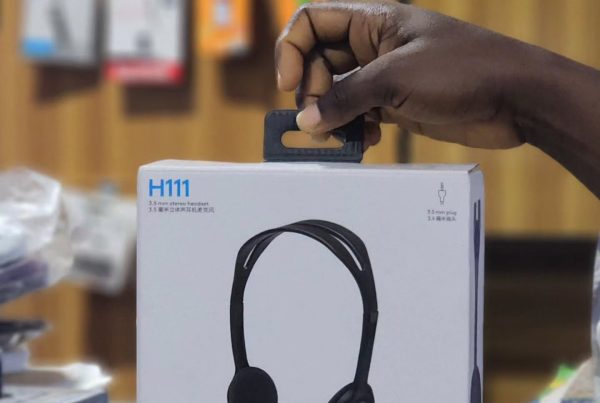
Logitech has several headset options that fit different working environments. The H390 and H570e, for example, are wired business-oriented headsets with noise-cancelling microphones. The H800 adds wireless connectivity, while the Zone Wireless combines wireless connectivity with ANC and microphone noise-control features. Meanwhile, the H110 and H111 provide simpler wired communication.
This guide explains the differences and helps businesses choose a Logitech headset based on how employees actually work.
Table of Contents
- Introduction
- Why Headsets Matter for Business Calls
- Noise Cancellation vs Noise-Cancelling Microphones
- Logitech Headsets Available on Promallshop
- Logitech H390 for Everyday Business Calls
- Logitech H570e for Business and Call Teams
- Logitech H800 for Wireless Flexibility
- Logitech Zone Wireless for Hybrid Work
- Logitech H110 and H111 for Basic Calling
- How to Choose a Logitech Headset for Your Organisation
- Wired vs Wireless Headsets for Business
- Common Headset Buying Mistakes
- Best Practices for Business Headset Deployment
- Future Trends in Business Headsets
- Conclusion
- FAQs
Why Headsets Matter for Business Calls
Short answer: A business headset creates a more controlled audio environment between an employee and the person on the other end of a call. It can improve voice pickup, reduce distractions and make meetings easier to manage. For call centres and busy offices, the microphone can be just as important as the speakers.
Consider a customer service employee working beside several colleagues who are also taking calls. Without suitable microphone control, nearby conversations can become distracting for the customer.
Likewise, an executive joining a meeting from an open office may need to hear other participants while preventing surrounding noise from interfering with the conversation.
A headset can help by bringing the microphone closer to the speaker’s mouth and providing more controlled audio than a laptop’s built-in speakers and microphone.
Why this matters to IT managers
For IT teams, a headset is also an endpoint device. It needs to work reliably with the organisation’s computers and communication applications.
Compatibility should therefore be checked before purchasing large quantities.
Google Meet, for example, recommends certified headsets for quality audio experiences, while Logitech’s business portfolio includes products designed for common collaboration platforms.
Why this matters to call centre managers
Call centre employees may spend much of the working day communicating with customers.
That makes microphone clarity, comfort, easy controls and reliability particularly important. A headset that looks inexpensive at first may become a poor choice if employees find it uncomfortable or difficult to use for extended periods.
Noise Cancellation vs Noise-Cancelling Microphones
Short answer: Active noise cancellation primarily reduces sounds the wearer hears, while a noise-cancelling microphone is designed to reduce unwanted background sound captured during a call. A headset can have one, the other or both, so buyers should not treat the terms as interchangeable.
This distinction is particularly important when searching for noise-cancelling headsets.
Active Noise Cancellation
ANC uses electronic processing to reduce certain ambient sounds that reach the listener.
For someone working near air-conditioning systems, traffic or general office noise, ANC can make it easier to concentrate on a conversation.
The Logitech Zone Wireless, for example, includes active noise cancellation and a noise-control microphone system. Logitech lists up to 14 hours of talk time with ANC enabled for this model.
Noise-cancelling microphone
A microphone with noise-cancelling technology addresses the other side of the conversation.
Its purpose is to reduce unwanted background sound entering the microphone signal so the person you’re speaking to can hear your voice more clearly.
The Logitech H390 uses a noise-cancelling microphone and a rigid microphone boom positioned close to the user’s mouth.
Why both technologies are not the same
Imagine an employee working in a busy office.
ANC can make the employee’s environment quieter.
Microphone noise cancellation can help make the employee’s voice clearer to the customer.
That difference is especially useful when selecting a call center headset with mic noise cancelling.
Logitech Headsets Available on Promallshop
Short answer: Promallshop currently lists six Logitech headset models relevant to this guide: H800, H570e, H110, H390, H111 and Zone Wireless. They cover different connectivity and communication requirements, ranging from basic 3.5 mm headsets to wireless models with more advanced noise-control features.
Here is the quickest way to understand the range:
Logitech model | Connectivity | Noise-control features | Practical use |
H800 | Wireless USB/Bluetooth | Noise-cancelling microphone | Remote/mobile work |
H570e | USB | Noise-cancelling microphone, AEC/DSP | Business calls |
H390 | USB | Noise-cancelling microphone | Office and remote work |
H110 | Dual 3.5 mm | Basic microphone noise reduction | Basic computer calling |
H111 | 3.5 mm | Flexible microphone positioning | Basic calls and meetings |
Zone Wireless | Bluetooth/USB | ANC and noise-cancelling microphones | Hybrid/open-office work |
This range gives procurement teams an important advantage: the organisation does not have to use the same headset for every employee.
A finance employee who makes occasional calls may have different requirements from a call centre agent who spends most of the day speaking with customers.
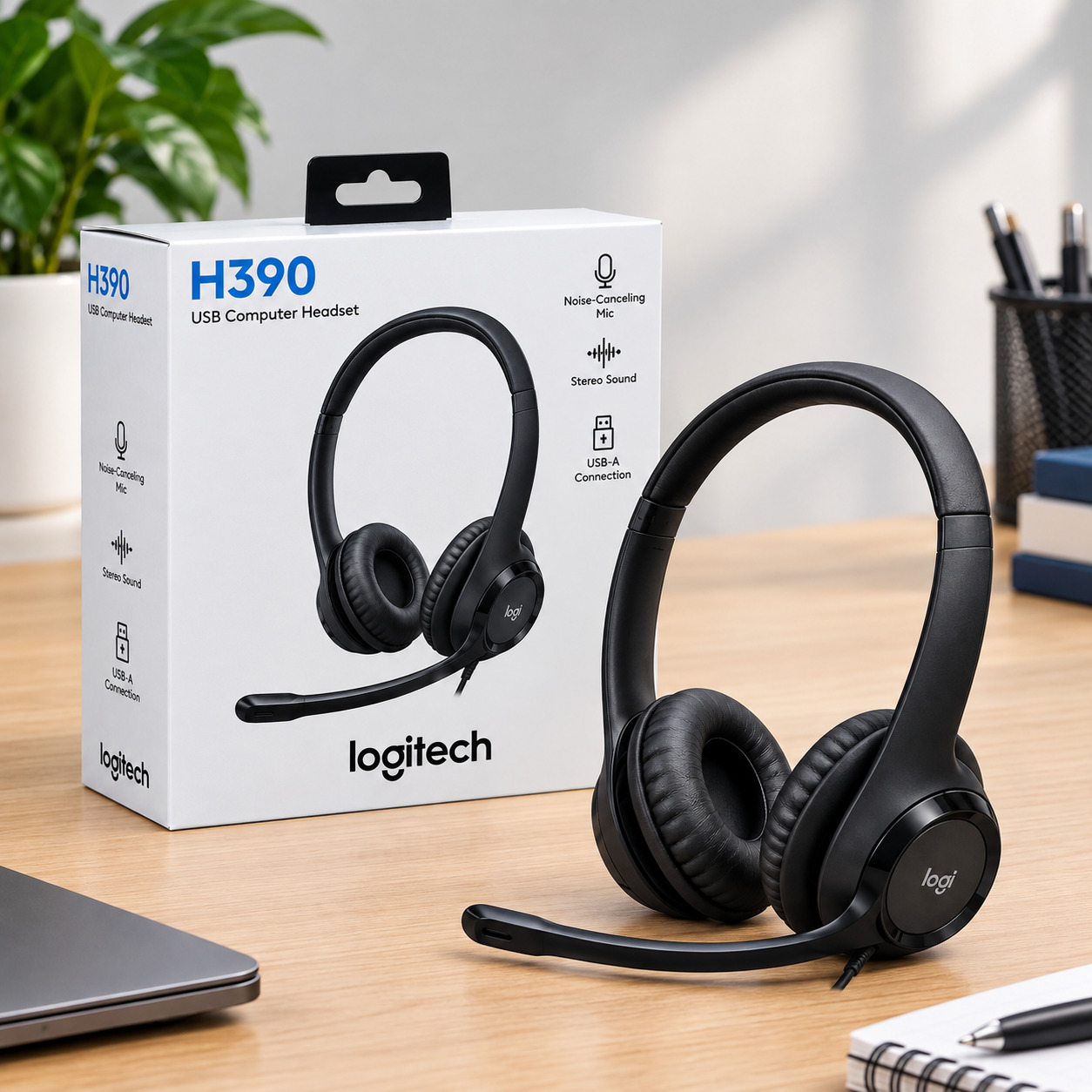
Logitech H390 for Everyday Business Calls
Short answer: The Logitech H390 is a straightforward USB headset designed for calls, meetings and everyday computer use. Its noise-cancelling microphone, 30 mm drivers, inline controls and plug-and-play USB connection make it a practical option for employees who mainly work from a fixed desk.
The H390 is one of the simpler choices for businesses that want a USB headset without moving into the higher-end wireless category.
Its 30 mm drivers are designed for calls and other audio, while the microphone is positioned on a boom that can be moved out of the way when it is not needed.
Why businesses may choose the H390
- USB connectivity
- Noise-cancelling microphone
- Inline volume and mute controls
- Adjustable headband
- Leatherette ear cushions
- 1.9 m cable
- Suitable for video meetings and calls
The wired design is also useful for standardised deployments.
An IT team can distribute the headsets, connect them to employee computers and avoid the battery management required by wireless devices.
H390 for work from home
The H390 can also make sense for remote employees who primarily use a laptop or desktop.
Because the headset connects through USB, employees do not have to manage Bluetooth pairing for everyday calls.
For businesses deploying many remote workers, that simplicity can reduce basic setup questions.
Logitech H570e for Business and Call Teams
Short answer: The Logitech H570e is a business-focused wired headset with a noise-cancelling microphone, 30 mm driver and call controls. Logitech also provides Microsoft Teams and UC versions, making platform requirements an important consideration when purchasing the headset for an organisation.
The H570e goes beyond basic audio by including features such as acoustic echo cancellation and digital signal processing on the relevant configuration.
Logitech also supports management and personalisation features through Logi Tune and Logitech Sync on the Microsoft Teams version.
Why the H570e stands out for business
For procurement teams, the H570e is particularly interesting because it is designed around workplace communication rather than general entertainment.
Its inline controls can be used for functions such as volume and mute, while supported versions include additional Teams functionality.
The headset is also available in mono and stereo configurations.
Mono or stereo?
A mono headset covers one ear, leaving the other ear open to the surrounding environment.
That can be useful for employees who need to communicate with colleagues while handling calls.
Stereo covers both ears and can provide greater isolation from surrounding distractions.
For a call centre, the choice should depend on the floor environment and whether employees need awareness of nearby conversations.
Logitech H800 for Wireless Flexibility
Short answer: The Logitech H800 is an older wireless headset that supports both a USB wireless receiver and Bluetooth. Its noise-cancelling microphone, rotating boom, mute control and device-selection switch make it useful for employees who need freedom from a fixed desk connection.
The H800 is different from the wired H390 and H570e.
Instead of requiring a permanent cable connection during use, it uses wireless connectivity while retaining a dedicated microphone boom.
The official Logitech quick-start documentation identifies both Bluetooth pairing and a USB wireless Nano receiver as connection methods.
Who might use the H800?
The H800 can be useful for:
- Employees who move around during work
- Remote workers
- Professionals switching between devices
- Employees who prefer wireless connectivity
- Users who still want a dedicated boom microphone
Because it is an older model, however, businesses should verify availability, compatibility and support requirements before making it the standard headset for a large deployment.
That is particularly important for IT departments planning a multi-year hardware programme.
Logitech Zone Wireless for Hybrid Work
Short answer: The Logitech Zone Wireless is designed for professionals who need wireless freedom while working across office, home and mobile environments. It combines Bluetooth and USB connectivity with active noise cancellation, a flip-to-mute microphone and compatibility with common calling platforms.
The Zone Wireless is positioned differently from the H390 and H570e.
It is designed for users who need more flexibility and who may switch between computers and mobile devices.
According to Logitech, it supports USB-A, USB-C and Bluetooth connectivity and can work with Windows, Mac and Chrome-based computers, as well as Bluetooth-enabled iOS and Android devices.
Where the Zone Wireless makes sense
Think about a manager who spends part of the morning at a desk, joins a video meeting from a conference room and then takes a mobile call.
A wireless headset can make those transitions easier.
The Zone Wireless also includes ANC, which makes it particularly relevant for open-office environments.
Is wireless always better?
Not necessarily.
Wireless provides mobility, but it introduces additional considerations such as charging, pairing and battery management.
For a fixed call centre workstation, a wired USB headset may be easier to deploy and maintain.
Logitech H110 and H111 for Basic Calling
Short answer: The H110 and H111 are simpler wired Logitech headsets intended for straightforward communication. They should not be positioned as equivalent to ANC business headsets. Instead, they are suitable when an organisation mainly needs a microphone, speakers and a basic wired connection.
The H110 uses dual 3.5 mm plugs for computers with separate microphone and headphone ports. Logitech notes that this connection is not intended for Chromebooks, tablets or Mac computers.
The H111 uses a single 3.5 mm audio connection and is designed for computers, smartphones and tablets with compatible ports.
H110
The H110 provides:
- Stereo audio
- Rotating microphone
- Adjustable headband
- 3.5 mm dual-plug connection
- Lightweight construction
Its microphone can be rotated and positioned for voice capture and background noise reduction.
H111
The H111 provides a more flexible single-jack approach.
Its microphone boom rotates 180 degrees, while the 3.5 mm connection makes it suitable for compatible computers and mobile devices. Logitech also positions it for voice calls, webinars and similar everyday communication.
For large deployments, however, IT teams should check the exact ports available on employee devices before choosing either model.
How to Choose a Logitech Headset for Your Organisation
Short answer: Start with the employee’s work pattern rather than the headset’s feature list. Identify whether the user needs wired or wireless connectivity, microphone noise cancellation, ANC, mono or stereo audio, platform compatibility and long-session comfort. Then select the simplest model that satisfies those requirements.
1. Identify the work environment
Ask where the employee normally works.
Is it:
- A quiet private office?
- An open-plan office?
- A busy call centre?
- A home office?
- A hybrid workspace?
- Multiple locations?
A headset for a quiet office may not need ANC.
A headset for a busy open office may benefit from stronger noise-control features.
2. Identify the communication platform
Next, determine which applications employees use.
Common platforms include:
- Microsoft Teams
- Zoom
- Google Meet
- Cisco communication tools
- Softphones
- VoIP applications
The H570e, for instance, has Teams and UC versions, so platform requirements should be checked before ordering.
3. Decide between wired and wireless
For fixed workstations, USB is often straightforward.
For mobile employees, Bluetooth or wireless connectivity may provide greater freedom.
4. Consider how long employees wear the headset
Comfort becomes increasingly important during long meetings and extended call-centre shifts.
Look at:
- Headband padding
- Ear cushion material
- Weight
- Clamp pressure
- Mono versus stereo design
- Microphone position
5. Consider deployment at scale
For procurement managers, standardisation can simplify support.
However, standardisation does not necessarily mean buying one identical model for every department.
A better approach may be to create a small approved headset range based on employee roles.
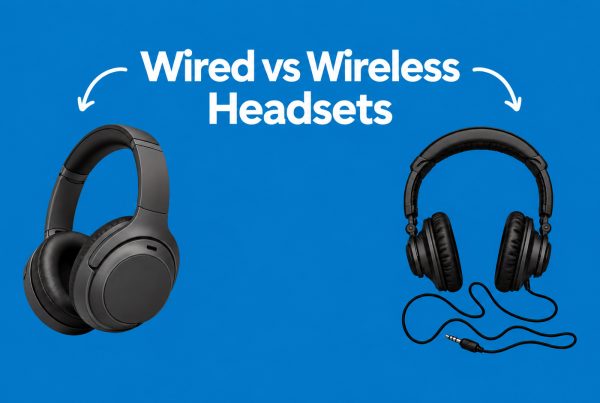
Wired vs Wireless Headsets for Business
Short answer: Wired headsets generally simplify deployment, charging and connectivity, while wireless headsets provide greater movement and flexibility. Neither approach is universally superior. The better choice depends on whether employees stay at fixed workstations, move between devices or need to remain connected while away from their desks.
Factor | Wired | Wireless |
Setup | Simple | Requires pairing or receiver |
Charging | Not required | Required |
Mobility | Limited | High |
Call-centre deployment | Often practical | Useful where movement matters |
Fixed desk use | Very suitable | Suitable |
Device switching | Limited | Usually easier |
IT management | Straightforward | More variables |
Cable clutter | Higher | Lower |
A large call centre with fixed desks may value the simplicity of USB headsets.
Conversely, managers, consultants and hybrid employees may benefit more from wireless connectivity.
Common Headset Buying Mistakes
Short answer: The most common mistakes are confusing ANC with microphone noise cancellation, ignoring device compatibility, choosing wireless headsets without considering battery management and buying solely on price. Organisations can avoid these problems by defining employee requirements before comparing models.
Assuming every noise-cancelling headset works the same way
ANC and microphone noise cancellation address different parts of the conversation.
Always check which technology the manufacturer actually describes.
Ignoring connection types
A 3.5 mm headset is not automatically compatible with every modern laptop.
The H110’s dual-plug design, for example, has specific compatibility limitations.
Choosing wireless for everyone
Wireless is convenient, but every wireless deployment introduces battery and pairing considerations.
Buying only for the manager
Executives may require different features from call-centre agents.
Procurement should consider the actual workflow of each employee group.
Ignoring the microphone
A headset can have excellent speakers but still be unsuitable for business calls if its microphone does not perform well in the user’s environment.
Best Practices for Business Headset Deployment
Short answer: A successful headset deployment combines suitable hardware with standard setup procedures. IT teams should test compatibility, define approved models, provide simple user instructions and establish replacement procedures. Employees should also test microphone input and output before important meetings rather than discovering audio problems after joining a call.
Recommended deployment process
- Identify employee groups.
- Document their typical work environments.
- Identify required communication platforms.
- Choose wired or wireless connectivity.
- Test a small number of units.
- Check microphone performance.
- Confirm compatibility with employee computers.
- Create a standard setup guide.
- Deploy the approved models.
- Monitor user feedback and replacement requirements.
Google’s troubleshooting guidance also recommends checking the selected microphone and speaker, microphone permissions and device audio settings when meeting audio problems occur.
That means headset procurement and software configuration should be treated as connected processes.
Future Trends in Business Headsets
Short answer: Business headsets are moving toward stronger software-based noise management, AI-assisted microphone processing, improved wireless connectivity and easier device management. Newer Logitech Zone models already demonstrate this direction through features such as AI noise suppression, advanced microphone systems and hybrid ANC.
AI-assisted call clarity
Newer headsets increasingly use software and multiple microphones to distinguish speech from unwanted sounds.
Logitech’s newer Zone Wireless 2, for example, combines AI noise suppression with multiple noise-cancelling microphones and hybrid ANC.
Better platform integration
Certification and platform compatibility will remain important as businesses rely more heavily on Microsoft Teams, Zoom and Google Meet.
Microsoft’s current Teams device listings include several Logitech business headsets, while Zoom maintains compatibility and certification information for Logitech Zone devices.
Centralised device management
For large organisations, headset management can become part of the wider IT endpoint strategy.
Features such as firmware management, configuration tools and device monitoring can make standardised deployments easier to maintain.
Conclusion
Logitech’s headset range covers several very different business needs. The H390 offers a straightforward USB solution with a noise-cancelling microphone, while the H570e adds business-focused features and platform-specific options. The H800 provides wireless flexibility, and the Zone Wireless adds ANC and broader wireless connectivity.
For simpler communication needs, the H110 and H111 remain basic wired options.
The important point is that there is no single headset specification that suits every employee. A call centre, executive office, remote worker and hybrid manager can all have different requirements.
For businesses in Nigeria, Ghana and Ivory Coast, the practical approach is to compare the working environment, connectivity, microphone requirements, comfort and communication platform before purchasing.
The right headset is ultimately the one that fits the employee’s workflow rather than simply having the longest feature list.
FAQs
The appropriate model depends on the employee's requirements. The H390 and H570e are wired options designed around business communication, while the H800 and Zone Wireless provide wireless flexibility. The H110 and H111 are better suited to simpler calling requirements.
Several Logitech models use different forms of noise control. The H390 and H570e have noise-cancelling microphones, while the H800 has a noise-cancelling microphone. The Zone Wireless adds active noise cancellation alongside microphone noise-control features.
Yes. The H390 has a USB connection, noise-cancelling microphone, 30 mm drivers and inline volume and mute controls, making it suitable for everyday video meetings and business calls.
The H570e is designed as a business headset and includes a noise-cancelling microphone, call controls and business-oriented features. Mono and stereo versions also allow organisations to choose based on employee needs.
ANC reduces ambient sound that the headset wearer hears. A noise-cancelling microphone reduces unwanted sound captured during the user's speech. Therefore, ANC primarily helps the wearer, while microphone noise cancellation primarily helps the person listening.