Table of Contents
ToggleIntroduction
Your smartphone can be much more than a device for calls, messages and social media. In a modern office or home workspace, it can support meetings, customer communication, authentication, scheduling, content creation and everyday productivity. However, the right phone accessories can make a major difference in how effectively you use it.
For example, a reliable charger can prevent interruptions during a busy workday. Likewise, a good headset can make long customer calls more comfortable, while a simple phone stand can keep your device visible without taking over your desk.
In simple terms, the best phone accessories are not necessarily the most expensive ones. They are the accessories that match your device, your work and the way you use your workspace.
Table of Contents
- Introduction
- What Are Phone Accessories?
- Why the Right Accessories Matter at Work
- Start With Your Phone and Workspace
- Choosing Chargers and Cables
- Choosing a Headset for Office and Call-Centre Work
- Wired vs Wireless Phone Accessories
- Phone Stands, Holders and Other Productivity Accessories
- Choosing Accessories for Different Work Environments
- Common Buying Mistakes to Avoid
- A Practical Buying Checklist
- Future Trends in Workplace Phone Accessories
- Conclusion
- FAQs
What Are Phone Accessories?
Phone accessories are external products that improve a smartphone’s charging, protection, connectivity, audio, positioning or everyday usability. They include chargers, cables, power banks, wireless charging devices, cases, stands, holders, earbuds, headsets and connectivity accessories.
For a workplace, however, the definition becomes more useful when accessories are viewed as tools that support a task.
A customer-service representative may need a professional headset. An executive may need a wireless charging stand. A field employee may need a power bank. Meanwhile, a remote worker might benefit from a phone stand, USB-C hub and wireless headset.
Promallshop’s current phone-accessories category includes products such as USB-C cables, chargers, power banks, wireless charging products, phone stands, hubs and audio accessories.
Key takeaway
Do not begin by asking, “Which accessory should I buy?”
Instead, ask:
“What problem do I need this accessory to solve?”
That small change can prevent unnecessary purchases.
Why the Right Accessories Matter at Work
The right phone accessories can improve convenience, communication, mobility and workspace organisation. More importantly, they can remove small interruptions that become frustrating when repeated throughout the working day.
For instance, constantly reaching for a phone on the other side of a desk is inefficient. Similarly, using a poor-quality headset during hours of customer calls can affect communication and comfort.
The Occupational Safety and Health Administration recommends keeping frequently used devices within easy reach and using a hands-free headset when employees spend significant time on telephone calls.
Benefits of choosing the right accessories
- More reliable charging
- Better call quality
- Easier hands-free communication
- Less cable clutter
- Better desk organisation
- Greater mobility
- Fewer interruptions
- More comfortable work
- Easier device management for business teams
Therefore, accessories should be considered part of the workstation rather than random extras.
Start With Your Phone and Workspace
Before buying anything, identify the devices and applications the accessory needs to support. This is especially important when purchasing for an organisation.
The first step is compatibility. Check the phone’s connector, charging requirements, supported wireless standards, operating system and the devices it needs to connect with before choosing an accessory.
For example, USB-C is now common across many smartphones and computers. However, USB-C does not automatically tell you the supported charging or data performance. USB-IF specifically notes that USB Type-C and USB Power Delivery are different technologies.
Ask these five questions
- What phone model will the accessory be used with?
- What connector does the phone use?
- Does the accessory need to connect to a computer?
- Will the user be stationary or moving around?
- Will the accessory be used occasionally or throughout the workday?
For procurement teams, add two more questions:
- Can the accessory be standardised across multiple users?
- Is replacement or technical support readily available?
This approach is more practical than simply choosing whatever has the highest specifications.
Choosing Chargers and Cables
Chargers and cables are among the most important phone accessories because a phone is only useful at work when it has enough power to operate.
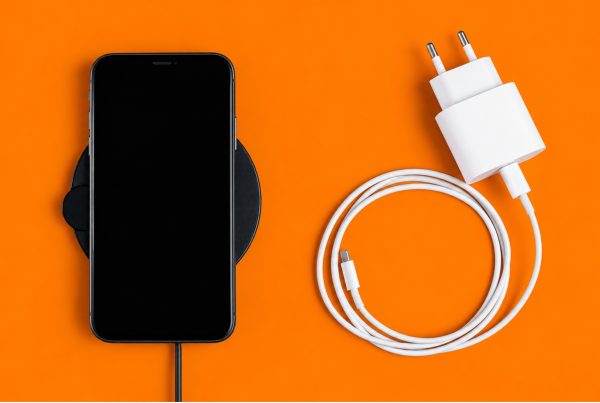
Choose a charger according to the phone’s supported charging standard and required power, then pair it with a suitable cable. Do not assume that a higher-wattage charger automatically means faster charging because the phone, charger and cable must work together.
USB Power Delivery allows compatible devices to negotiate power requirements, while current USB PD specifications support substantially higher power levels than the basic charging needs of smartphones.
What to check before buying a charger
Look at:
- Output power
- USB-C or USB-A ports
- USB Power Delivery support
- PPS support where applicable
- Number of ports
- Cable compatibility
- Brand and build quality
- Portability
- Warranty or support
What about USB-C cables?
A USB-C connector does not automatically mean every cable has the same capabilities.
Some USB-C cables support basic USB 2.0 data rates, while others support higher-speed data or additional functions. USB-IF explicitly warns that USB Type-C, USB 3.2, USB4 and USB Power Delivery should not be treated as interchangeable terms.
Therefore, if your team needs a cable for charging only, the requirements may be different from those of a user who needs high-speed data transfer.
Practical example
A finance employee who mainly needs to keep a smartphone charged may only need a reliable charging setup.
On the other hand, a content creator who frequently transfers files may need a cable selected specifically for its data capability.
The accessory should match the job.
Choosing a Headset for Office and Call-Centre Work
Headsets deserve special attention because communication quality directly affects many jobs. This is particularly true for call centres, customer service departments, sales teams and remote employees.
The best headset for office or call-centre work should provide clear audio, a good microphone, comfortable wearing, reliable connectivity and features appropriate to the user’s environment. Noise-cancelling microphones are especially useful where background conversations or office noise could interfere with calls.
Current business headset options available through specialist Nigerian suppliers include wired USB models, Bluetooth wireless headsets, DECT systems and professional call-centre headsets.
What should you look for in a call-centre headset?
1. Microphone quality
For customer-facing teams, microphone performance can matter more than impressive music playback.
A call center headset with mic noise cancelling is designed to reduce unwanted background sound picked up by the microphone. This can be useful in busy environments where multiple employees are talking nearby.
2. Wired or wireless connectivity
A call center wireless headset with mic can give employees greater freedom to move. However, wireless models require battery management and pairing.
Wired models are often simpler to deploy because there is no headset battery to maintain.
3. Comfort
A headset worn for several hours should not feel excessively tight or heavy.
Look for:
- Adjustable headbands
- Comfortable ear cushions
- Balanced weight
- Suitable ear coverage
- Flexible microphone positioning
OSHA’s workstation guidance recommends a headset that fits comfortably and is neither too tight nor so loose that it cannot stay in position.
4. Compatibility
Before purchasing, confirm whether the headset connects through:
- USB
- Bluetooth
- 3.5 mm
- RJ9
- QD
- DECT
- A proprietary wireless connection
Also check compatibility with computers, desk phones and communication platforms.
Popular business headset brands
Depending on the requirement, organisations may consider brands such as VT, Logitech, Dell, Grandstream and Sennheiser.
For example, VT headsets can be relevant when an organisation wants professional communication equipment, while Logitech and Dell have broader computer and workplace accessory ecosystems.
However, brand recognition should not replace specification checking.
The best call center headset with noise cancelling microphone is the one that fits the team’s phone system, work environment, budget and usage pattern.
Wired vs Wireless Phone Accessories
Wired and wireless accessories both have clear advantages. The right option depends largely on whether reliability, mobility, simplicity or flexibility is the priority.
Feature | Wired | Wireless |
Connection | Cable | Bluetooth or wireless receiver |
Battery | Usually not required | Usually required |
Mobility | Limited by cable | Greater freedom |
Setup | Often simple | Requires pairing/setup |
Charging | Not normally required for headset | Required |
Cable clutter | Higher | Lower |
Best for | Fixed workstations | Flexible workspaces |
Wired accessories are usually preferable when simplicity and consistent connectivity are the priorities. Wireless accessories are more suitable when users need freedom to move around or want a cleaner desk.
For example, a large call centre with fixed workstations may favour wired headsets for straightforward deployment.
Meanwhile, a manager who moves between meetings may prefer a wireless headset.
Bluetooth is designed to support interoperable wireless use cases, including telephony and media applications. The Bluetooth SIG’s Telephony and Media Audio Profile also covers devices such as headsets, smartphones, PCs, headphones and wireless microphones.
Phone Stands, Holders and Other Productivity Accessories
A phone stand might look like a minor purchase. Yet, for many workspaces, it can make the phone easier to use.
A good phone stand keeps the device visible and accessible without requiring the user to repeatedly pick it up. This is useful for notifications, two-factor authentication, video calls, reference information and hands-free communication.
OSHA recommends keeping frequently used phones within the primary work zone and avoiding excessive reaching.
Useful productivity accessories include:
- Adjustable phone stands
- Magnetic phone holders
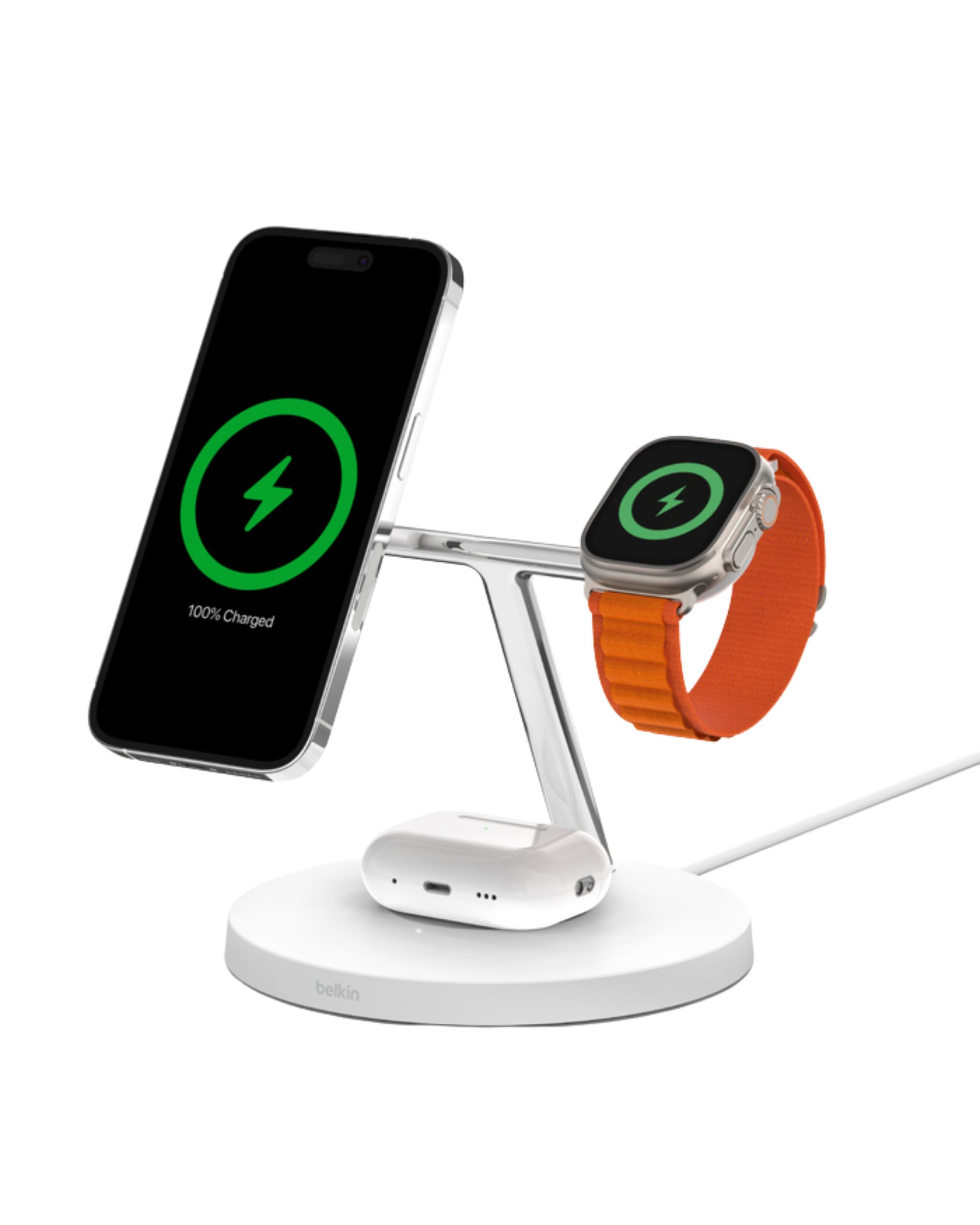
- Wireless charging stands
- Power banks
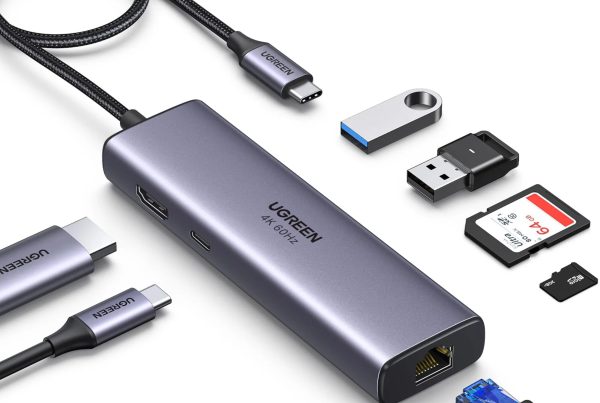
- USB-C hubs
- Multi-device charging stations
- Earbuds
- Headsets
- Protective cases
- Cable organisers
Promallshop currently lists products such as adjustable UGREEN phone stands, USB-C cables, wireless charging products, power banks and USB-C hubs within its broader mobile-accessory selection.
Do not overlook power banks
Power banks are especially useful for:
- Field workers
- Sales representatives
- Travelling employees
- Executives
- Employees who move between offices
- Employees working during unreliable power periods
For business procurement, capacity is only one consideration. Also look at output ports, charging speed, physical size, safety features and the number of devices that need to be supported.
Choosing Accessories for Different Work Environments
Different employees have different requirements. Consequently, there is no single accessory bundle that works for every department.
For a traditional office
Prioritise:
- Reliable charger
- Appropriate USB-C cable
- Phone stand
- Headset
- Surge protection or suitable charging infrastructure
- Cable management
For call centres
Prioritise:
- Professional headset
- Noise-reducing microphone
- Comfortable ear cushions
- Reliable connection
- Compatibility with the phone or softphone system
- Replaceable components where practical
A specialist call-centre category can include wired and wireless options, as well as QD, USB and other connection accessories.
For remote workers
Prioritise:
- Wireless headset
- Phone stand
- Reliable charging setup
- Power bank
- USB-C accessories
- Compact equipment that can move between locations
For field employees
Mobility becomes the priority.
A practical kit may include:
- Fast charger
- Durable cable
- Power bank
- Protective case
- Car charger
- Phone holder
- Wireless headset
For executives and managers
The focus may shift toward convenience and presentation.
A suitable setup could include:
- Premium wireless headset
- Wireless charging stand
- Multi-device charger
- Compact power bank
- Professional phone stand
- Travel charging kit
Common Buying Mistakes to Avoid
Many accessory problems happen because buyers focus on the product rather than the application.
The most common mistakes are buying incompatible accessories, prioritising price over reliability, ignoring comfort, choosing wireless products without considering battery management and purchasing accessories without considering how they fit the existing workplace technology.
Buying based only on price
A cheaper accessory may cost more over time if it fails frequently or creates support issues.
Ignoring compatibility
Before purchasing, confirm the connector, operating system, phone model and required communication platform.
Assuming USB-C means everything
It does not. USB-C describes a connector and interface ecosystem, not one universal performance level.
Choosing a headset without testing comfort
For occasional calls, comfort may seem less important. However, for someone spending most of the day on calls, it becomes a major purchasing factor.
Buying wireless without a battery plan
A wireless headset that is dead during an important customer call is not particularly useful.
Buying different products for every employee
For larger organisations, uncontrolled variety can make support, replacement and training harder.
Instead, consider creating a small approved accessory list.
A Practical Buying Checklist
Before approving an accessory purchase, work through this checklist.
A good workplace accessory should pass six tests: compatibility, functionality, comfort, reliability, manageability and value.
Compatibility
- Does it work with the employee’s phone?
- Does it connect to the required computer or phone system?
- Is the correct cable included?
Functionality
- Does it provide the required charging speed?
- Does the headset have the required microphone performance?
- Does the stand support the phone securely?
Comfort
- Can it be used for extended periods?
- Is it easy to adjust?
- Does it create unnecessary strain or clutter?
Reliability
- Is the product from a reputable manufacturer?
- Is replacement available?
- Can the organisation get support when necessary?
Manageability
For organisations, ask:
- Can the product be standardised?
- Can IT support it easily?
- Can procurement reorder the same model?
- Are spare units available?
Value
Finally, consider the total value rather than simply the purchase price.
A slightly more expensive headset that lasts longer and causes fewer complaints may provide better value than a cheaper model that needs frequent replacement.
Future Trends in Workplace Phone Accessories
Workplace phone accessories are increasingly becoming part of a connected device ecosystem rather than isolated products.
The main direction is toward fewer cables, smarter charging, better wireless connectivity, multi-device compatibility and accessories that support hybrid work. As USB-C, wireless audio and multi-device charging become more common, buyers will increasingly evaluate accessories as part of an entire workspace.
USB Power Delivery continues to evolve, with the USB-IF publishing newer specifications and compliance documentation.
Meanwhile, Bluetooth continues to develop its audio and telephony capabilities, supporting an increasingly broad range of devices and communication scenarios.
For businesses, another important trend is standardisation.
Instead of giving every employee a completely different collection of accessories, IT and procurement teams can develop approved equipment tiers.
For example:
- Basic: charger + cable + stand
- Professional: charger + cable + stand + headset
- Mobile: charger + power bank + wireless headset
- Call-centre: professional headset + spare cable/accessories
- Executive: premium wireless headset + multi-device charging setup
This makes purchasing easier while giving employees equipment suited to their roles.
Conclusion
Choosing phone accessories for an office or home workspace is less about buying the biggest charger or most expensive headset. Instead, it is about matching each accessory to the device, user and job.
Start with compatibility. Then consider charging requirements, connectivity, comfort, durability and how the accessory will fit into the workspace.
For general office users, a reliable charger, cable, phone stand and headset can cover many everyday needs. However, call-centre and customer-service teams should place greater emphasis on microphone quality, comfort and communication-system compatibility.
For remote and mobile workers, portability and battery life become more important.
Ultimately, the best phone accessories are the ones that make work easier without creating new problems. A thoughtful selection can improve communication, reduce interruptions and create a more organised workspace.
If you are purchasing for several employees, take the same approach on a larger scale: define the use case, standardise where practical and choose reliable products that your team can actually support.
FAQs
The most useful office phone accessories typically include a reliable charger, compatible charging cable, phone stand and headset. Depending on the employee's role, a power bank, wireless charger or USB hub may also be useful.
Start by checking your phone's supported charging technology and power requirements. Then choose a compatible charger from a reputable manufacturer and pair it with an appropriate cable. USB Power Delivery can provide flexible power negotiation for compatible devices.
Neither is universally better. Wired accessories are often simpler and do not require headset battery charging, while wireless products provide greater mobility and can reduce cable clutter.
The best call-centre headset depends on the phone system, work environment and user's needs. Look for clear audio, a quality microphone, comfortable construction and reliable connectivity. Busy environments may benefit from a headset with a noise-reducing microphone.
It is a headset designed with a microphone that reduces unwanted background sound picked up during calls. This can help employees communicate more clearly in busy office or call-centre environments.