Table of Contents
ToggleIntroduction
A headset can look like a simple piece of office equipment, but for people who spend hours on calls, it can directly affect communication, comfort and productivity.
For a call centre agent, a poor microphone can make conversations frustrating. Meanwhile, an IT manager may face support problems when employees use incompatible headsets. For procurement managers, choosing the wrong model for hundreds of employees can also become an expensive mistake.
So, what actually makes a good business headset?
The answer goes beyond sound quality.
A professional headset needs to help the user hear clearly, be heard clearly, stay comfortable and remain connected throughout the workday.
This guide explains the features businesses should consider when choosing call center headsets for offices, BPOs, contact centres, remote teams and other professional environments.
Table of Contents
- Introduction
- What Makes a Good Business Headset?
- Why Microphone Quality Matters
- Noise Cancellation: ANC vs Microphone Noise Cancellation
- Comfort for Long Working Hours
- Wired vs Wireless Business Headsets
- Connectivity and Compatibility
- Audio Quality and Call Clarity
- Durability and Manageability
- Choosing the Right Headset for Your Business
- Common Mistakes to Avoid
- A Practical Business Headset Buying Checklist
- Future Trends in Business Headsets
- Conclusion
What Makes a Good Business Headset?
A good business headset should deliver clear two-way communication, reduce distracting background noise, remain comfortable during extended use and work reliably with the devices and communication platforms employees use. For call centres, BPOs and other high-call environments, microphone performance and durability should receive particular attention.
Unlike consumer headphones, business headsets are designed around communication.
That means features such as microphone quality, call controls, connectivity and comfort can matter more than simply having powerful bass or high maximum volume.
The key features to look for
| Feature | Why it matters |
|---|---|
| Noise-cancelling microphone | Helps the other person hear the user clearly |
| Comfortable design | Important during long shifts |
| Reliable connectivity | Prevents dropped or unstable connections |
| Clear speakers | Makes conversations easier to understand |
| Wired/wireless options | Allows businesses to match different workstyles |
| Platform compatibility | Ensures the headset works with workplace software |
| Durable construction | Reduces replacement costs |
| Easy controls | Allows quick mute and call management |
| Good battery life | Important for wireless users |
| Warranty/support | Useful for business deployments |
The right combination depends on the environment.
A five-person office does not necessarily need the same headset as a 300-seat BPO.
Why Microphone Quality Matters
The microphone is arguably the most important component of a business headset because it determines how clearly the user is heard. A headset can have excellent speakers, but if the microphone constantly captures keyboard noise, nearby conversations or air conditioning, it can still produce a poor calling experience.
This is particularly important in contact centres.
Imagine 50 agents working in the same room. Every employee is speaking, typing and interacting with customers simultaneously.
Without effective microphone noise reduction, those sounds can interfere with calls.
What should you look for?
Look for:
- Noise-cancelling microphones
- Multiple microphone arrays
- Beamforming technology
- Voice-focused microphone processing
- A properly positioned boom microphone
- Mute functionality
Modern premium models are taking this further with AI-based processing.
For example, Logitech’s Zone Wireless 2 uses multiple noise-cancelling microphones and AI-based algorithms to reduce unwanted sounds during calls.
Dell’s WL7024 similarly uses multiple microphones with AI noise reduction and beamforming capabilities.
The important distinction is that noise cancellation for what the user hears and noise reduction for what the microphone captures are not necessarily the same thing.
Noise Cancellation: ANC vs Microphone Noise Cancellation
ANC and microphone noise cancellation solve different problems. ANC primarily reduces environmental noise that the headset wearer hears, while microphone noise cancellation helps reduce unwanted sounds transmitted to the person on the other end of a call. A strong business headset may use one or both technologies.
Active Noise Cancellation (ANC)
ANC works on the user’s side.
It can help reduce sounds such as:
- Office conversations
- Air conditioning
- Traffic
- Machinery
- General background noise
This can make it easier for employees to concentrate.
Microphone noise cancellation
Microphone noise cancellation focuses on the outgoing voice signal.
The goal is simple:
The person on the other end should hear you—not everything happening around you.
For call centres, this can be particularly valuable.
Which one matters more for a call centre?
If your main objective is customer-facing call clarity, prioritise a headset with a strong noise-cancelling microphone.
If your employees also work in noisy environments and need to concentrate, ANC can provide an additional benefit.
The best professional models can combine both approaches.
Comfort for Long Working Hours
Comfort becomes a critical feature when employees wear headsets for several hours every day. A headset that feels fine for a 20-minute meeting may become uncomfortable during an eight-hour shift, so businesses should consider weight, ear-cushion materials, headband pressure and adjustability before purchasing in bulk.
Look for:
Lightweight construction
A lighter headset can be easier to wear for extended periods.
Comfortable ear cushions
Cushioning should provide a secure fit without putting excessive pressure around the ears.
Adjustable headband
Different employees have different head sizes, so adjustability matters when deploying headsets across a team.
Appropriate ear coverage
Businesses can choose between:
- Mono headsets — one ear covered
- Stereo headsets — both ears covered
- On-ear designs
- Over-ear designs
Mono headsets can be useful when employees need to remain aware of their surroundings.
Stereo or over-ear models can be more appropriate when concentration and noise isolation are priorities.
Wired vs Wireless Business Headsets
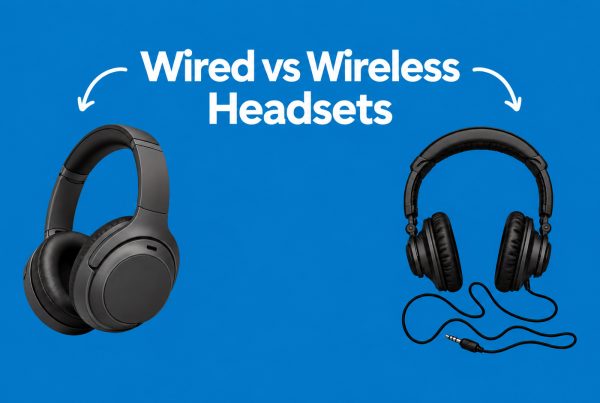
Wired headsets offer simple, consistent connectivity and can be ideal for fixed workstations, while wireless headsets provide greater freedom of movement. The better option depends on the employee’s role, workstation setup, device compatibility and how much mobility the business requires.
Wired headsets
Advantages:
- No battery charging
- Stable connection
- Usually simpler deployment
- Often lower cost
- Good for fixed workstations
USB headsets are especially convenient for computers used for VoIP calls and video meetings.
Wireless headsets
Advantages:
- Greater mobility
- Cleaner desks
- Useful for hybrid workers
- Easier movement between tasks
- Some models support multiple devices
Modern wireless business headsets may use Bluetooth, USB receivers or both.
Some models also support multipoint connections, allowing users to maintain connections with multiple devices.
For example, Logitech’s Zone Wireless 2 supports Bluetooth and USB receiver connectivity, while Dell’s WL7024 supports Bluetooth and multipoint connectivity.
Which should a business choose?
| Workplace | Recommended approach |
|---|---|
| Large call centre | Wired or managed wireless |
| Fixed office workstation | Wired USB |
| Hybrid employee | Wireless |
| Executive/manager | Wireless |
| Remote worker | Wireless or USB |
| High-volume customer service | Durable wired or enterprise wireless |
Connectivity and Compatibility
A business headset should work reliably with the computers, phones and communication platforms employees already use. Before purchasing, check compatibility with operating systems, connection types and platforms such as Microsoft Teams, Zoom and other VoIP or unified communications systems.
This is an area procurement teams sometimes overlook.
A headset can have excellent specifications and still be inconvenient if employees need adapters, unsupported software or complicated configuration.
Check these before buying
- USB-A compatibility
- USB-C compatibility
- Bluetooth support
- Wireless dongle availability
- Windows compatibility
- macOS compatibility
- Mobile compatibility
- Microsoft Teams compatibility
- Zoom compatibility
- VoIP compatibility
Microsoft maintains a certification programme for business peripherals. Certified devices are tested for audio/video quality, plug-and-play use and Teams call controls.
That certification can be particularly useful when an organisation standardises on Microsoft Teams.
Audio Quality and Call Clarity
Business headset audio should prioritise speech clarity rather than simply producing loud or bass-heavy sound. Users need to distinguish voices easily, particularly during customer service calls, online meetings and VoIP conversations.
When evaluating a headset, consider:
- Speaker quality
- Voice clarity
- Frequency response
- Sound isolation
- Volume controls
- Acoustic protection features
For business communication, a headset does not need to be designed primarily for music.
Its most important job is making speech easy to understand.
That distinction can help procurement teams avoid paying for consumer features that employees may rarely use.
Durability and Manageability
For businesses deploying dozens or hundreds of headsets, durability is part of the overall cost. A cheaper headset that requires frequent replacement may ultimately cost more than a better-built model that lasts longer and is easier for IT teams to manage.
Think beyond the initial purchase price.
Consider:
- Build quality
- Replaceable ear cushions
- Cable durability
- Battery longevity
- Warranty
- Availability of replacement parts
- Firmware updates
- Device management
- Technical support
For example, Dell lists a three-year limited hardware warranty with Advanced Exchange Service for its WL7024 business headset.
For larger organisations, these support considerations can be just as important as the headset’s headline specifications.
Choosing the Right Headset for Your Business
The best call center headset is not necessarily the most expensive model; it is the model that matches the user’s environment, workload and communication requirements. Businesses should assess where employees work, how many hours they use headsets, which platforms they use and whether they need wired or wireless connectivity.
For call centres and BPOs
Prioritise:
- Microphone noise cancellation
- Comfort
- Durability
- Clear voice reproduction
- Easy mute controls
- Reliable connectivity
- Replaceability and support
For remote workers
Prioritise:
- Noise cancellation
- Wireless connectivity
- Battery life
- Microphone quality
- Bluetooth
- Multi-device connectivity
For IT managers
Prioritise:
- Compatibility
- Standardisation
- Manageability
- Reliability
- Firmware support
- Warranty
- Total cost of ownership
For procurement managers
Prioritise:
- Cost per unit
- Bulk availability
- Durability
- Warranty
- Employee requirements
- Replacement costs
- Long-term support
VT, Logitech or Dell: What Should Businesses Consider?
VT, Logitech and Dell all offer business-oriented headset options, but the right choice depends on the specific model and requirements rather than the brand name alone. Procurement teams should compare microphone technology, connectivity, comfort, platform compatibility, durability, support and total cost before standardising on a brand.
Promallshop’s current headset range includes models from VT, Logitech, Dell and other professional headset brands.
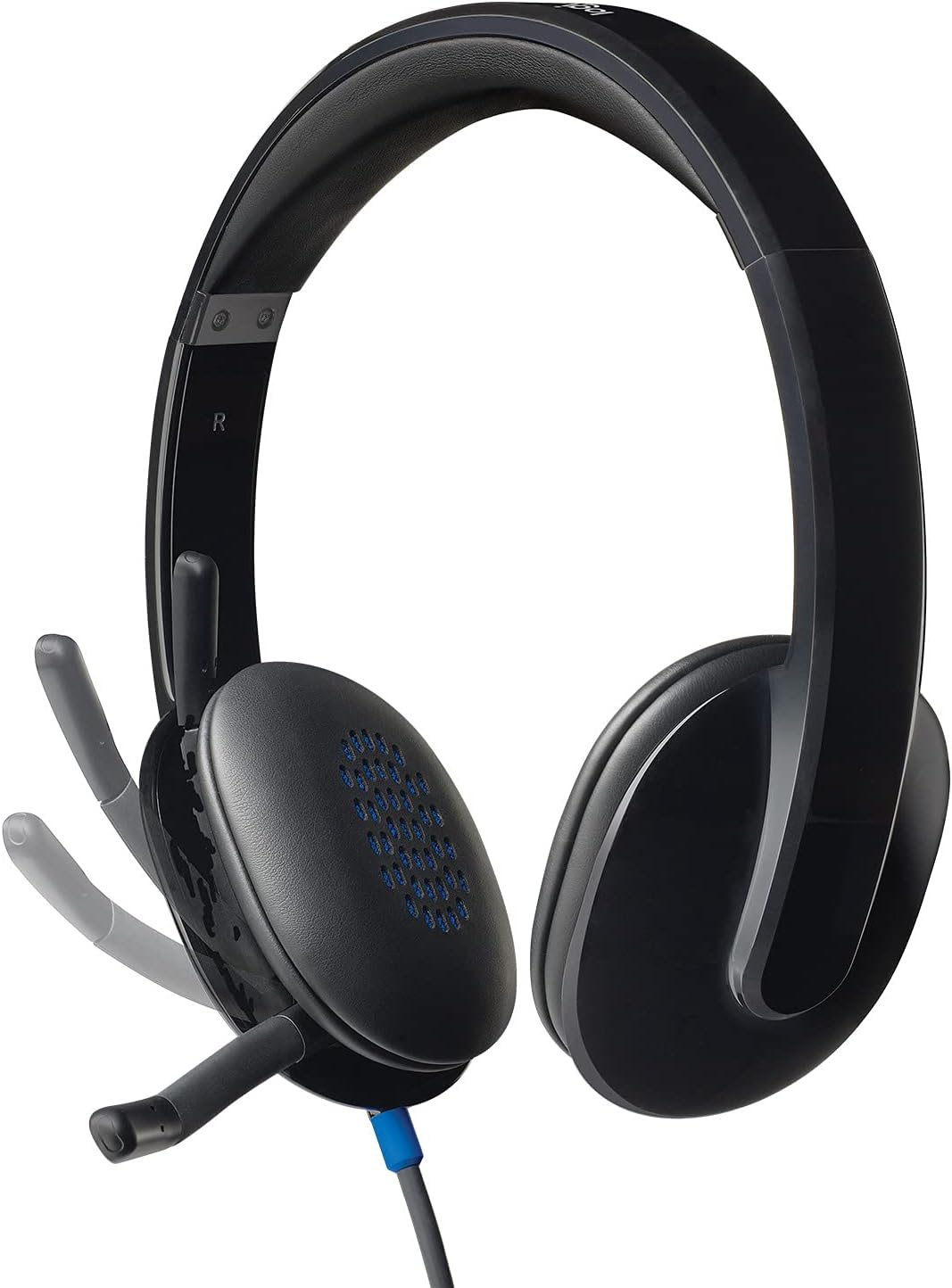
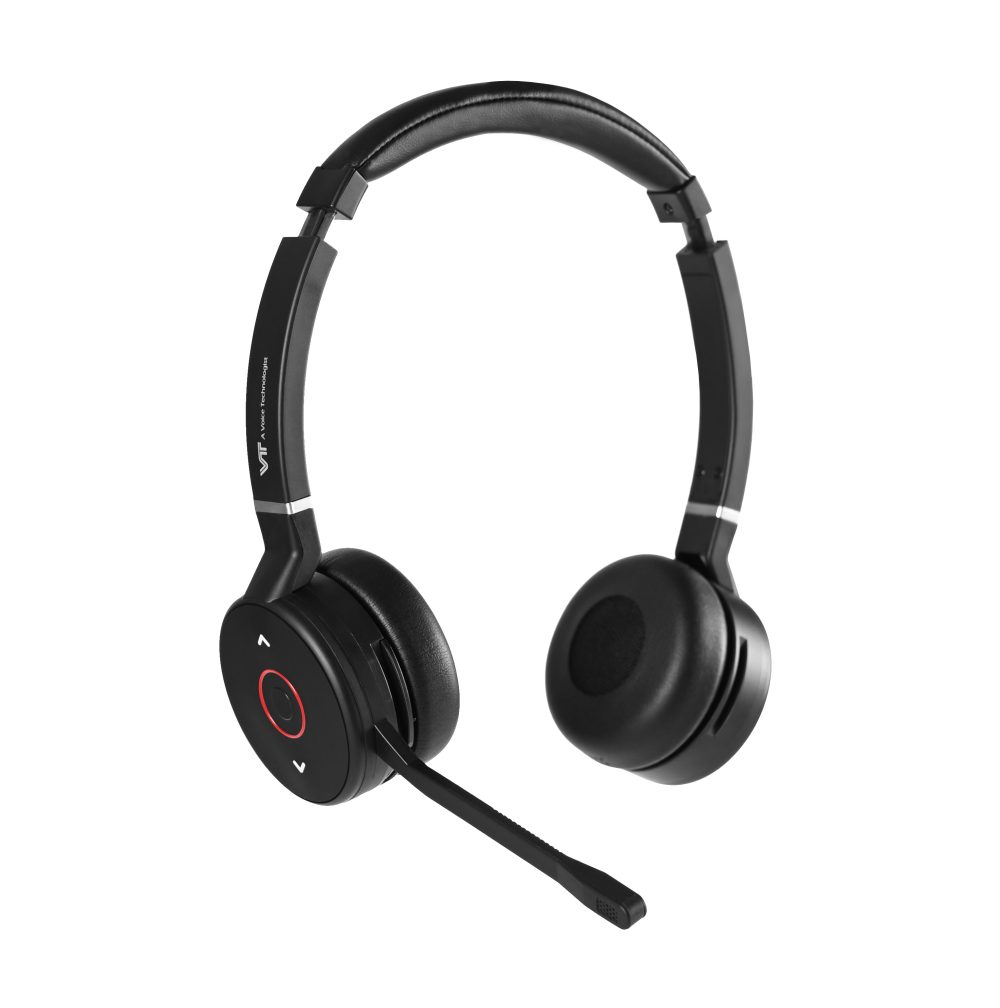
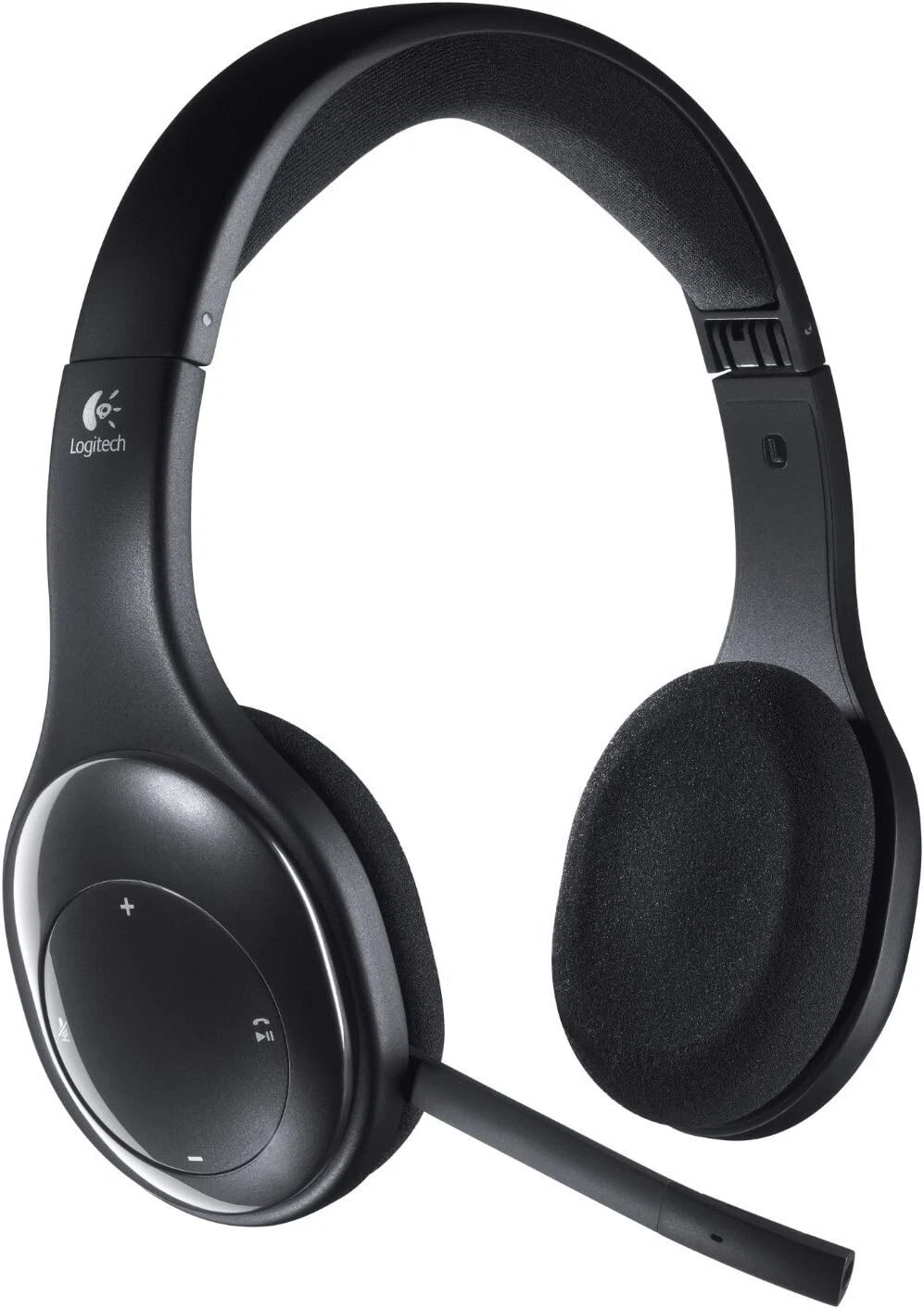
For example, the current range includes products such as the VT9800 headset with dual noise-cancelling microphones, Logitech H800 USB headset and several wireless VT and Logitech models.
Logitech’s business range includes models with features such as AI noise suppression, multiple microphones, ANC and business-platform certifications.
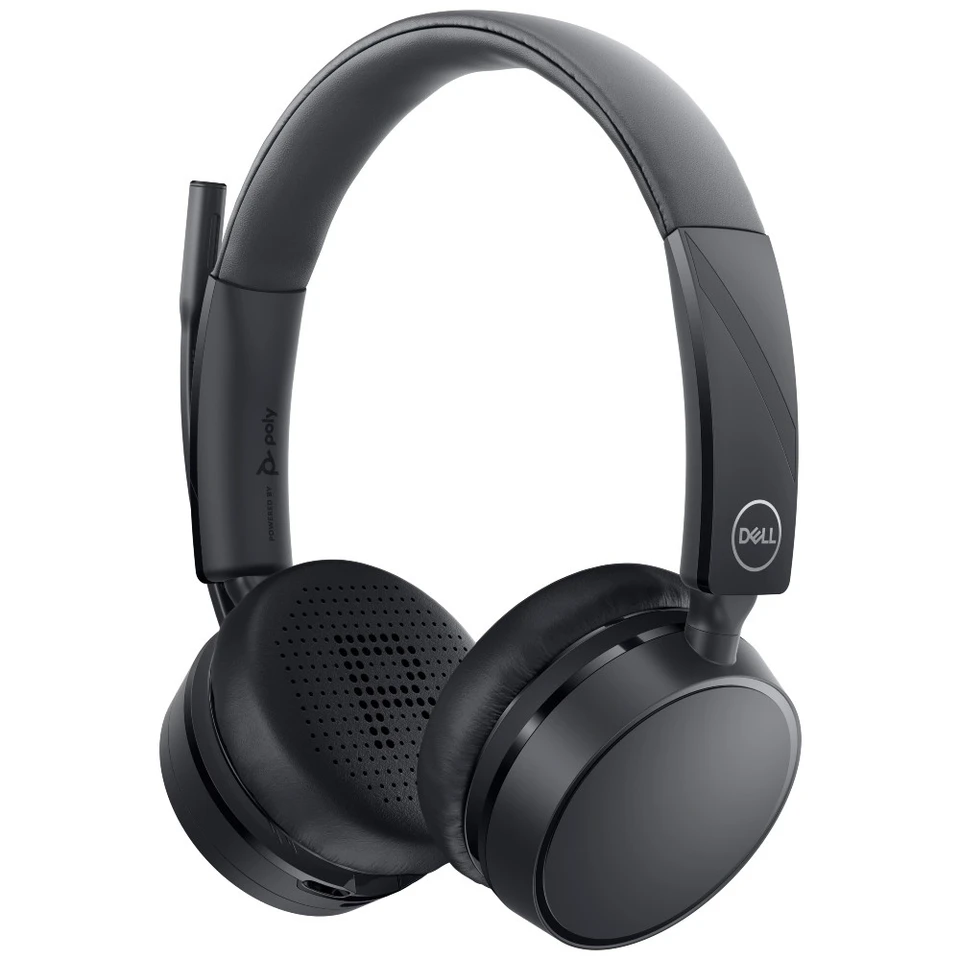
Dell WL5022, meanwhile, combines adaptive ANC, AI-based incoming and outgoing noise cancellation, beamforming microphones, wireless connectivity and Microsoft Teams/Zoom certification.
The key lesson is simple: compare the specification to the job, not just the logo on the headset.
-
- VT9800BT-Duo
-
- Dell WL5022 Wireless On-Ear Headset
-
- Logitech Bluetooth Wireless Headset H800
Common Mistakes When Buying Business Headsets
Businesses often focus too heavily on price, brand or wireless capability while overlooking microphone performance, comfort, compatibility and long-term support. These mistakes can result in headsets that technically work but perform poorly in the environment where employees actually use them.
1. Choosing based only on price
The cheapest option may not be the most economical option over several years.
2. Ignoring the microphone
For customer-facing employees, microphone quality should be one of the first specifications evaluated.
3. Assuming ANC solves everything
ANC does not automatically mean the microphone will eliminate background noise from outgoing calls.
4. Buying wireless without considering battery life
Wireless freedom is useful, but employees still need a reliable charging routine.
5. Ignoring platform compatibility
Always confirm that the headset works with the organisation’s communication platform.
6. Buying one model for everyone
Different roles may require different headset designs.
7. Testing only for a few minutes
A headset should ideally be evaluated for extended comfort before a large deployment.
A Practical Business Headset Buying Checklist
Before purchasing, ask:
- Who will use the headset?
- How many hours per day will they wear it?
- Will they work in a noisy environment?
- Do they need a noise-cancelling microphone?
- Do they need ANC?
- Should the headset be wired or wireless?
- Which devices will it connect to?
- Does it support Teams, Zoom or the required platform?
- How important is battery life?
- Is the headset durable enough for daily business use?
- Are replacement parts available?
- What warranty and support are included?
- What is the total cost of ownership?
This checklist can help IT and procurement teams narrow down their options before comparing individual models.
Future Trends in Business Headsets
Business headsets are increasingly moving beyond basic audio into intelligent communication devices. AI-powered noise suppression, beamforming microphones, adaptive ANC, multipoint connectivity, platform certification and software-based device management are becoming increasingly important features in professional headsets.
AI is particularly interesting.
Instead of simply reducing all surrounding sound, newer systems can analyse audio and distinguish speech from unwanted environmental noise.
Logitech, for example, uses AI-based noise suppression and multiple microphones in its Zone Wireless 2.
Dell’s WL7024 also uses AI-based noise reduction and beamforming technology for incoming and outgoing audio.
Platform certification is also becoming more relevant as businesses rely heavily on unified communications platforms. Microsoft’s current Teams certification listings include business headsets from Logitech, Dell, Yealink, Jabra, HP Poly and other manufacturers.
For businesses, the future of the headset is therefore less about simply hearing a call and more about creating a reliable communication environment around the employee.
Conclusion
A good business headset should make communication easier—not create another technical problem for employees or IT teams.
For a call centre agent, that means having a microphone that keeps their voice clear. A remote employee, on the other hand, may value wireless freedom and effective noise cancellation. Meanwhile, IT managers may prioritise compatibility and manageability. From a procurement perspective, durability, support and total cost of ownership should also be part of the decision.
There is no single headset that is perfect for every business.
The better approach is to identify how your employees work, where they work and what they need to communicate effectively, then choose a headset around those requirements.
Whether you’re equipping a small office, upgrading a BPO, or deploying headsets across a large customer service team, choosing the right call center headsets can make everyday communication considerably more reliable.
A good business headset should provide clear microphone audio, effective background-noise reduction, comfortable long-term wear, reliable connectivity, compatibility with workplace communication platforms, and sufficient durability for daily use.
For call centres and BPOs, microphone performance and noise control are especially important because employees may spend several hours handling calls in environments where multiple conversations happen simultaneously.
The best choice also depends on the workplace. A wired USB headset may suit a fixed workstation, while a wireless headset can be more practical for hybrid workers, managers and employees who move around during the day.
Modern business headsets increasingly include features such as AI-powered noise reduction, beamforming microphones, ANC, multipoint connectivity and Microsoft Teams certification.
FAQs
A good business headset provides clear audio, a high-quality microphone, effective noise reduction, comfortable long-term wear, reliable connectivity and compatibility with the platforms employees use.
A good call center headset should have a clear noise-cancelling microphone, comfortable construction, reliable connectivity and enough durability for extended daily use.
Yes. A noise-cancelling microphone can reduce unwanted background sounds picked up during calls, which is especially useful when several employees work in the same space.
Not necessarily. Wired headsets provide simple and stable connectivity, while wireless models provide greater mobility. The better option depends on the work environment.
ANC reduces environmental noise that the headset wearer hears. Microphone noise cancellation focuses on reducing unwanted sounds transmitted to the other person during a call.