Table of Contents
ToggleIntroduction
If you have ever looked inside an office network cabinet, you have probably seen a box filled with Ethernet cables and blinking lights. That device is often a network switch.
A network switch is one of the basic building blocks of a wired network. It allows computers, servers, printers, IP phones, wireless access points, cameras and other Ethernet-enabled devices to communicate within the same local network.
For businesses, choosing the right switch matters because the device can affect connectivity, network management, scalability, security and even how equipment such as IP phones and access points receives power.
Table of Contents
- Introduction
- What Is a Network Switch?
- How Does a Network Switch Work?
- What Is a Network Switch Used For?
- Types of Network Switches
- Network Switch vs Router vs Hub
- What Is a PoE Network Switch?
- Why Businesses Need Network Switches
- How to Choose the Right Network Switch
- Common Network Switch Mistakes
- Network Switch Best Practices
- The Future of Network Switching
- Conclusion
- FAQs
What Is a Network Switch?
A network switch is a hardware device that connects multiple devices within a local area network and directs Ethernet traffic between them. Instead of sending every data transmission to every connected device, the switch learns which devices are connected to which ports and forwards traffic toward its intended destination.
Think of a switch like a receptionist in a busy office.
When a visitor arrives, the receptionist checks who they need to see and directs them to the correct person. A network switch performs a similar job with data. It receives Ethernet frames, checks their destination information and sends them toward the appropriate device.
Ethernet switching is defined within the IEEE 802.3 family of standards, which covers wired Ethernet networking across different speeds and physical media.
Quick facts about network switches
- They connect multiple devices on a wired network.
- They commonly use Ethernet cables.
- They identify devices using MAC addresses.
- They can operate at different speeds, including Gigabit and higher.
- Managed switches provide configuration and monitoring features.
- PoE switches can provide power to compatible devices through Ethernet.
- They are widely used in offices, schools, data centres, meeting rooms and other business environments.

How Does a Network Switch Work?
A network switch works by receiving Ethernet frames, learning the MAC addresses associated with its ports and using that information to forward traffic to the appropriate destination. When the destination is unknown, the switch may temporarily flood the frame so the correct device can respond and the switch can learn where it is located.
Here is the process in simple terms.
1. A device connects to the switch
A computer, IP phone, printer or other network device connects to one of the switch’s Ethernet ports.
For example, an office may have:
- 10 desktop computers
- 2 network printers
- 4 IP phones
- 2 wireless access points
- 1 server
All of these devices can connect to a suitably sized switch.
2. The switch learns the MAC address
Every Ethernet-enabled device has a MAC address. When traffic arrives, the switch can associate the source MAC address with the port where it was received.
The switch stores this information in a MAC address table.
3. The switch checks the destination
When another Ethernet frame arrives, the switch checks its MAC address table.
If it already knows where the destination device is connected, it forwards the frame through the appropriate port.
This is one reason switches are more efficient than traditional hubs. A hub does not make the same destination-based forwarding decisions and instead sends traffic to its connected ports.
4. The receiving device gets the data
Once the frame reaches the correct port, the destination device processes it.
If another switch is connected between the two devices, the frame can continue through the network until it reaches its destination.
This process happens extremely quickly, making switching suitable for everything from everyday office communication to demanding business applications.
What Is a Network Switch Used For?
A network switch is primarily used to connect multiple wired devices and allow them to communicate across a local network. In business environments, switches can support computers, servers, printers, IP phones, wireless access points, security cameras, meeting-room equipment and other network-connected devices.
Common uses include:
Connecting office computers
A business with several desktop computers can connect them to a central switch instead of trying to connect each computer directly to a router.
Connecting IP phones
VoIP phones commonly use Ethernet connections. A suitable PoE switch can also supply power to compatible phones through the same network cable.
Connecting wireless access points
Enterprise Wi-Fi deployments often use Ethernet-connected access points. PoE can make installation easier because the network cable can carry both data and power.
Connecting IP cameras
Security cameras that support PoE can receive network connectivity and power through compatible Ethernet infrastructure.
Connecting servers and storage
Businesses can use switches to connect servers, network-attached storage and other infrastructure to users and applications.
Supporting conference rooms
Modern meeting rooms can contain cameras, microphones, speakers, controllers and conferencing systems that need reliable network connectivity.
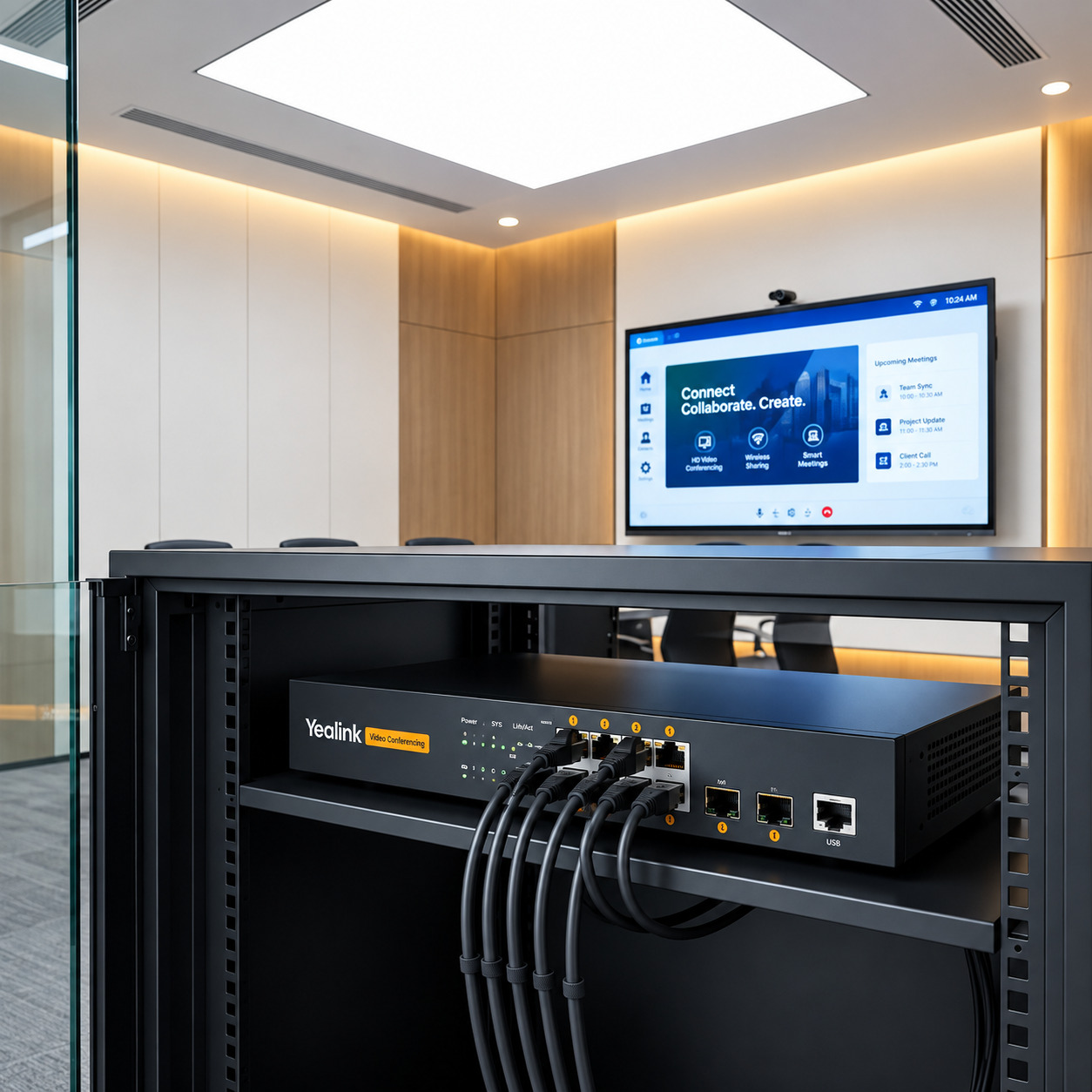
This is particularly relevant to AV environments. For example, the Yealink RCH80 is designed for professional AV networking and provides eight Gigabit PoE+ Ethernet ports plus two Gigabit SFP uplinks.
Types of Network Switches
Not every business needs the same type of switch. The right choice depends on the size of the network, management requirements, connected devices and expected growth.
Managed vs Unmanaged Switches
Feature | Managed Switch | Unmanaged Switch |
Configuration | Extensive | Little or none |
VLAN support | Common | Usually unavailable |
Traffic management | Advanced | Basic |
Monitoring | Available | Limited |
Security controls | More options | Limited |
Best for | Business networks | Simple networks |
Ease of setup | More technical | Plug and play |
An unmanaged switch is designed for straightforward connectivity. You generally connect the cables and use it without configuring the device.
A managed switch gives administrators greater control. Depending on the model, features may include VLANs, QoS, access control, authentication and traffic management.
PoE Switches
A Power over Ethernet switch can transmit data and electrical power over compatible Ethernet cabling.
This can be useful for devices such as:
- IP phones
- Wireless access points
- IP cameras
- Sensors
- Selected AV equipment
PoE standards are part of the IEEE 802.3 family. Different standards provide different power capabilities, so the switch and powered device need to be compatible.
Gigabit Switches
Gigabit switches support Ethernet connections at up to 1 Gbps on compatible ports.
For many modern business networks, Gigabit connectivity provides a practical baseline for wired devices. However, networks with higher data requirements may need multigigabit or faster uplinks.
Layer 2 and Layer 3 Switches
A Layer 2 switch primarily handles Ethernet switching using MAC addresses.
Layer 3 switches can also perform certain routing functions using IP information. This makes them useful in larger or more segmented network environments.
Some business switches sit between traditional Layer 2 switching and Layer 3 routing and are marketed as Layer 2+ devices.
Network Switch vs Router vs Hub
The three devices are often confused, but they perform different jobs.
Device | Main purpose | Common addressing |
Network switch | Connect devices within a LAN | MAC addresses |
Router | Connect different networks | IP addresses |
Hub | Repeat traffic across ports | Does not make destination-based forwarding decisions |
A switch is mainly concerned with communication within the local network.
A router, on the other hand, connects different networks. For example, a router can connect your office LAN to the internet.
A hub is a much simpler device. When a hub receives traffic, it repeats that traffic across its ports rather than making the destination-based forwarding decisions expected from a switch.
Do you need both a router and a switch?
In many business networks, yes.
A simple arrangement might look like this:
Internet → Router → Network Switch → Computers, IP Phones, Printers, Access Points
The router handles communication between your local network and other networks, while the switch provides additional wired connectivity within the local network.
What Is a PoE Network Switch?
A PoE network switch combines normal Ethernet connectivity with power delivery for compatible devices. It allows a suitable Ethernet cable to carry both network data and electrical power, reducing the need for separate power adapters and outlets near each device.
Why is PoE useful?
Imagine installing several IP cameras across a building.
Without PoE, each camera may require:
- An Ethernet connection for data.
- A separate power source.
With PoE, a compatible switch can provide both through the Ethernet connection.
The same concept can simplify deployments involving IP phones, wireless access points and certain AV devices.
What is PoE budget?
A PoE switch has a total power budget.
For example, the Yealink RCH80 has a 130W total PoE+ power budget. It provides eight 10/100/1000 Mbps RJ45 PoE+ ports and two Gigabit SFP ports.
That does not mean every port can automatically provide 130W simultaneously. The available power has to be distributed according to the switch’s capabilities and the requirements of connected devices.
Therefore, when buying a PoE switch, check both:
- The PoE standard supported.
- The total PoE power budget.
Why Businesses Need Network Switches
A growing business eventually needs more wired connections than a typical router can conveniently provide. A switch solves this problem while creating a more structured network infrastructure.
1. More network ports
A switch gives organisations additional Ethernet ports for connecting devices.
2. Easier network expansion
As employees, offices and connected devices increase, additional switching capacity can make expansion easier.
3. Better traffic handling
Switches forward traffic based on destination information rather than simply repeating everything to every port.
4. Support for business-critical devices
Modern businesses depend on network-connected equipment, including:
- Computers
- Servers
- Printers
- IP phones
- Access points
- Security cameras
- Conference-room equipment
- Network storage
5. Centralised management
Managed switches allow administrators to configure and monitor parts of the network from a central interface.
6. Network segmentation
Features such as VLANs can help administrators separate different types of traffic logically.
For example, an organisation might separate:
- Employee computers
- Guest devices
- Voice traffic
- Security systems
- Management devices
This can make network administration more structured and can support security policies.
How to Choose the Right Network Switch
The best network switch depends on what you are connecting today and what you expect to add later.
1. Count your devices
Start by listing every device that needs a wired connection.
Do not count only computers. Include printers, phones, access points, cameras, meeting-room equipment and other Ethernet devices.
It is also sensible to leave spare ports for future expansion.
2. Check port speed
Gigabit Ethernet is common for business access connections, but faster uplinks may be useful when switches need to carry substantial traffic between network segments.
3. Decide whether you need PoE
If your network includes compatible IP phones, access points, cameras or AV equipment, PoE may simplify installation.
4. Managed or unmanaged?
Choose an unmanaged switch when you need simple connectivity and do not require advanced configuration.
Choose a managed switch when your organisation needs greater control over traffic, segmentation, security or monitoring.
5. Look at uplinks
Uplink ports connect the switch to another switch, router or network infrastructure.
SFP ports can be especially useful where fibre connectivity is required.
6. Consider network management features
Depending on the environment, useful features may include:
- VLAN
- QoS
- DHCP management
- Access control
- 802.1X authentication
- Multicast management
- STP/RSTP/MSTP
- IGMP Snooping
The Yealink RCH80, for example, includes VLAN, QoS, DHCP, access control, 802.1X and multicast management features.
Common Network Switch Mistakes
Buying a switch based only on the number of ports is a common mistake.
A 24-port switch may physically accommodate your devices, but that does not automatically make it the right choice.
1. Ignoring PoE requirements
If your devices need PoE, check the switch’s PoE standard and total power budget.
2. Buying too few ports
A network can grow quickly. Leaving some spare capacity is usually better than having to replace a switch shortly after installation.
3. Choosing unmanaged when management is required
A basic unmanaged switch may not provide the VLAN, QoS, security or monitoring features expected in a business environment.
4. Ignoring uplink capacity
The ports used to connect switches to the wider network can become important performance points.
5. Treating every PoE switch as identical
PoE capabilities differ between models. Always match the switch’s power specifications with the requirements of your devices.
Network Switch Best Practices
A reliable switching environment starts with good planning.
Keep these practices in mind:
- Document connected devices and ports.
- Label important Ethernet cables.
- Leave spare ports for expansion.
- Use managed features where they provide real value.
- Monitor PoE power usage.
- Separate appropriate traffic using VLANs.
- Use QoS where voice, video or other priority traffic requires it.
- Keep switch firmware updated according to the manufacturer’s guidance.
- Protect networking equipment from excessive heat, moisture and unstable power.
- Plan uplinks carefully when connecting multiple switches.
These practices are particularly important in business networks where downtime can affect communication, productivity and customer service.
A Practical Example: Network Switch for a Meeting Room
Consider a modern conference room containing:
- Two cameras
- Multiple microphones
- A room controller
- An IP phone
- A conferencing endpoint
- Network-connected displays or other AV equipment
Instead of treating each device as an isolated connection, a suitable managed PoE switch can provide a central point for connectivity and, where supported, power.
The Yealink RCH80 is an example designed specifically around professional AV environments. It provides eight Gigabit PoE+ ports, two Gigabit SFP uplinks, a 130W PoE budget and features such as VLAN, QoS and multicast management. It also supports Dante and AES67 for compatible AV-over-IP deployments.
This illustrates an important point: the right switch is not simply the one with the most ports. It is the one whose speed, power, management and connectivity features match the environment.
The Future of Network Switching
Network switching continues to evolve alongside the devices connected to business networks.
Higher-speed Ethernet, improved Power over Ethernet capabilities, network automation, stronger security controls and greater support for multimedia traffic are all shaping modern network infrastructure.
IEEE’s Ethernet standards continue to expand across higher data rates and new physical technologies. The IEEE 802.3-2022 standard covers Ethernet operation from 1 Mb/s through 400 Gb/s, while PoE developments have expanded Ethernet’s ability to deliver power alongside data.
For businesses, this means network planning should focus not only on today’s requirements but also on future bandwidth, device and power needs.
Conclusion
A network switch is a fundamental part of modern wired networking. It connects devices, directs Ethernet traffic and provides the foundation for business networks ranging from small offices to larger enterprise environments.
For organisations, the decision goes beyond choosing an eight-, 16- or 24-port device. You also need to consider connection speeds, PoE requirements, management capabilities, uplinks, network segmentation and future growth.
If your organisation needs networking equipment for office connectivity, IP phones, wireless access points, security systems or professional AV deployments, choosing a switch that matches those requirements can make the network easier to manage and expand.
For specialised meeting-room and AV deployments, the Yealink RCH80 is one example of a managed PoE switch built around these requirements.
FAQs
A network switch is a device that connects multiple devices within a local area network and forwards Ethernet traffic to the appropriate destination.
A switch learns the MAC addresses associated with its ports and uses that information to forward Ethernet frames toward the correct destination.
Network switches connect devices such as computers, servers, printers, IP phones, cameras, wireless access points and other Ethernet-enabled equipment.
You may need one if your router does not have enough Ethernet ports for all your wired devices or if your network requires more advanced switching capabilities.
An unmanaged switch generally provides basic plug-and-play connectivity. A managed switch provides configuration, monitoring and network-management capabilities.