Table of Contents
ToggleIntroduction
Modern classrooms and meeting rooms need more than a screen that displays information. Teachers want students to participate in lessons, while business teams need better ways to present ideas, review documents and work together. An interactive display can bring these activities into one place.
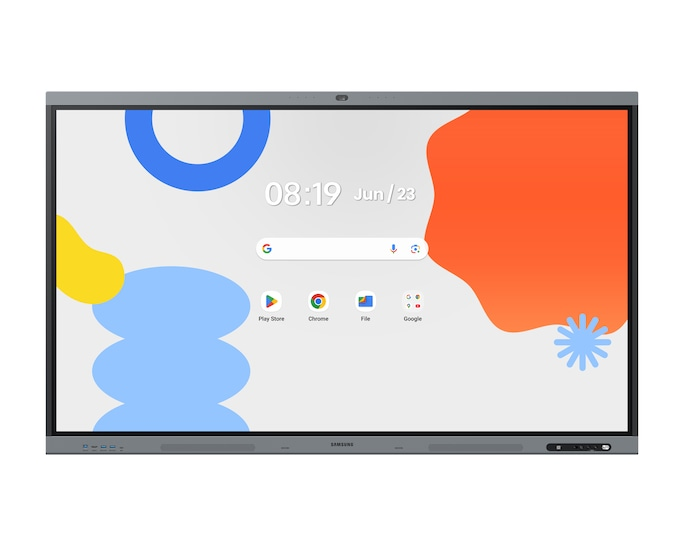
The Samsung WAFX-P 86-inch interactive display combines a large 4K screen with touchscreen writing, Android applications and collaboration features. As a result, it offers schools and businesses an alternative to relying on a separate projector, whiteboard and computer for every activity.
What is the Samsung 86 inch interactive display? It is a large touchscreen designed for teaching, presentations and collaborative work. Users can display digital content, write directly on the screen, share content from compatible devices and use supported applications without treating the display as a simple television.
For organisations in Nigeria, Ghana and Côte d’Ivoire, the key question is whether its features justify the investment for their particular environment.
Table of Contents
- Introduction
- What Is the Samsung WAFX-P Interactive Display?
- Key Specifications and Features
- Benefits for Classrooms and Universities
- Benefits for Offices and Corporate Teams
- Interactive Display vs Projector vs Whiteboard
- Who Should Buy the Samsung 86-Inch Display?
- How Much Does It Cost?
- Installation and Buying Considerations
- Advantages and Disadvantages
- Conclusion
- FAQs
What Is the Samsung WAFX-P Interactive Display?
The Samsung WAFX-P is an interactive flat-panel display designed to combine digital presentation, touchscreen input and collaboration tools. Unlike a conventional television, it allows users to interact directly with displayed content. Furthermore, its Android platform and Google EDLA certification support access to compatible applications and Google services. Samsung’s official product information provides the model’s features and specifications.
How does an interactive display work?
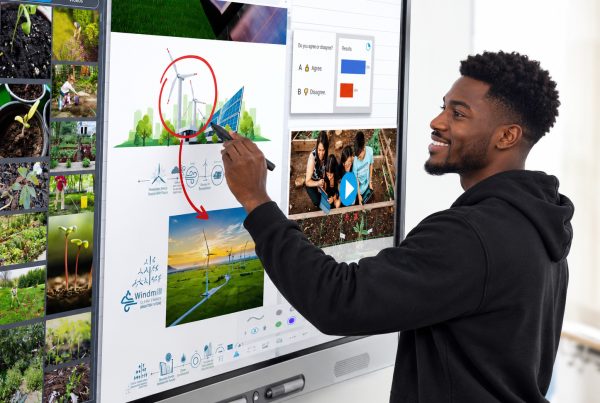
An interactive display works much like a large digital workspace. Instead of writing on a separate board or controlling every activity from a laptop, a teacher or presenter can touch the screen, write notes, open supported applications and display documents.
For example, a lecturer can open a presentation, underline a key point, draw a diagram and invite students to solve a problem on the same screen. Similarly, a manager can display a report during a meeting and annotate important figures while discussing them with colleagues.
Because these activities happen on one display, users can move between presenting, explaining and collaborating without repeatedly switching equipment.
What makes the 86-inch version useful?
An 86-inch screen offers a substantial viewing area for rooms where a smaller display may be difficult to read from the back. It can accommodate presentations, diagrams, spreadsheets and educational content while providing a shared surface for interaction.
However, screen size alone does not determine suitability. Room dimensions, viewing distance, seating arrangement and the height of the installation all affect how comfortably people can use the display.
Samsung 86 Inch Interactive Display: Key Specifications and Features
The Samsung WAFX-P combines 4K resolution with Android-based functionality and interactive touch technology. Its specifications make it relevant to organisations that need a large display for regular teaching, meetings and presentations. Nevertheless, buyers should confirm the exact regional model and included accessories before placing an order.
Quick specification table
Specification | Samsung WAFX-P 86-inch |
Screen size | 86 inches |
Display resolution | 4K UHD, 3,840 × 2,160 |
Panel type | IPS |
Brightness | 450 nits, typical |
Contrast ratio | 1,200:1 |
Operating system | Android 15 |
Touch technology | Infrared |
HDMI inputs | 2 |
DisplayPort input | 1 |
Wireless connectivity | Wi-Fi 6 and Bluetooth |
USB connectivity | 4 USB ports, plus 3-in-1 USB-C |
Built-in camera | 48MP camera with auto-framing |
Microphones | 8-microphone array |
Audio | Dual 20W speakers and integrated woofer |
Device dimensions | Approximately 1,950 × 1,174 × 87 mm |
Net weight | Approximately 60.9 kg |
Specifications are based on Samsung’s published WAFX-P information. Confirm the precise configuration with the supplier because regional variants and bundled accessories can differ.
4K UHD resolution for detailed content
The 4K UHD resolution provides 3,840 × 2,160 pixels, making it useful for displaying detailed diagrams, charts, text and presentation slides. Consequently, teachers can display technical drawings while corporate teams can review spreadsheets and visual reports on a large screen.
The IPS panel also provides wide viewing angles, which helps people seated away from the centre see the displayed content.
Android 15 and Google EDLA certification
The display runs Android 15 and carries Google Enterprise Devices Licensing Agreement (EDLA) certification. This supports access to Google services and compatible applications through the Google ecosystem.
For schools already using Google Classroom or Google Drive, this can simplify some classroom workflows. However, administrators should check account policies, network access, application compatibility and security requirements before deployment.
Interactive writing and multi-device collaboration
The WAFX-P supports digital annotation, dual-pen functionality and multi-window workflows. It can also share content from multiple devices, allowing participants to contribute from their own screens.
Samsung lists support for up to nine devices sharing content simultaneously. Its 50-point multi-touch capability has a specific qualification: Samsung indicates that 50-point touch is supported when running Windows through an OPS module or external PC. Buyers should therefore distinguish this from the display’s standard Android experience.
Built-in video conferencing
The display includes a 48MP camera with auto-framing, an eight-microphone array and integrated speakers. These features can reduce the amount of separate equipment needed for video meetings and remote teaching.
Nevertheless, the camera and microphones do not automatically guarantee compatibility with every conferencing platform or every room layout. Confirm the intended software, audio coverage and connection requirements before installation.
Benefits of the Samsung Interactive Display for Classrooms and Universities
For schools, an interactive display can make lessons more visual and participatory. It allows teachers to combine written explanations, digital resources and student activities on one screen. However, the real benefit depends on how teachers incorporate these tools into lessons rather than simply replacing an old board with a new device.
Encourage active classroom participation
A conventional whiteboard allows teachers to write and draw, while a projector displays digital content. An interactive display combines both approaches, so teachers can annotate presentations and invite students to work directly on the screen.
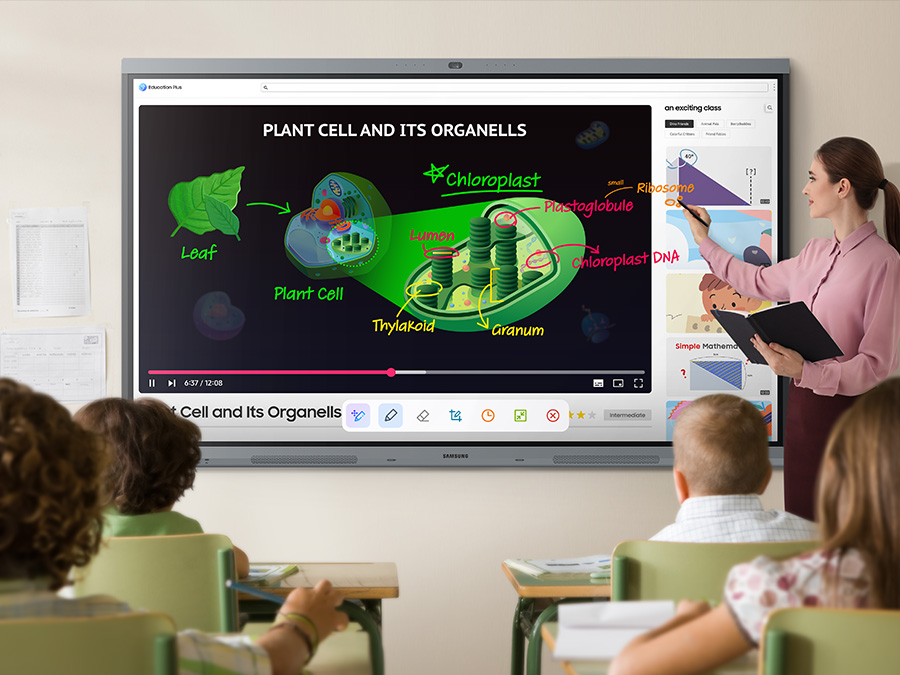
For example, a mathematics teacher can display an equation, ask a student to complete the next step and explain the solution to the class. A science teacher can annotate a diagram, while a language teacher can highlight phrases during a reading exercise.
These activities provide practical ways to involve learners rather than relying entirely on one-way presentations.
Combine digital resources with teaching
With compatible applications, teachers can use online resources, presentations, educational videos and saved notes during lessons. Furthermore, the ability to display several windows can help educators compare resources without constantly switching between screens.
Schools should still select software based on curriculum needs, teacher familiarity and student access. Technology works best when it supports a clear lesson plan.
Support hybrid learning
The built-in conferencing hardware can help schools conduct remote lessons, consultations and guest lectures. A teacher may display teaching materials while communicating with participants joining remotely.
However, reliable internet access, suitable conferencing software and appropriate privacy controls remain essential. Schools should also establish rules for recording lessons and protecting students’ information.
Simplify classroom technology
A single interactive display may reduce dependence on separate presentation equipment, depending on the school’s existing setup. Teachers can write, display digital content and access supported applications from the same device.
For schools replacing older equipment, this can simplify the front of the classroom. Still, existing computers, document cameras and other specialist devices may remain necessary.
Benefits for Offices and Corporate Teams
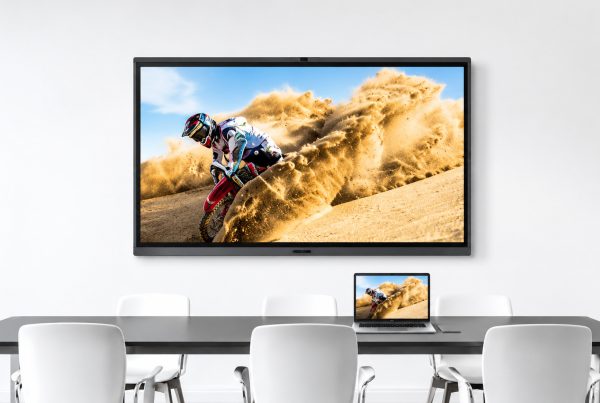
In offices, the Samsung WAFX-P can support presentations, training sessions and collaborative meetings. Its combination of a large touchscreen, digital annotation and integrated conferencing hardware is particularly relevant to teams that regularly review information together or work with remote colleagues.
Make meetings more collaborative
Instead of presenting slides and moving straight to the next topic, a team can annotate a proposal, compare options and record decisions during the meeting. Participants can focus on a shared workspace rather than following separate documents on their laptops.
For example, a procurement team reviewing supplier proposals could display a comparison, mark important differences and discuss the findings in real time.
Support training and onboarding
Training teams can display learning materials, explain processes and annotate examples as employees follow along. Meanwhile, the ability to save digital notes can help trainers prepare reusable materials for future sessions.
For this reason, the display may be useful in corporate training centres, product demonstrations and internal workshops.
Improve hybrid meetings
The integrated camera, microphones and speakers provide a starting point for hybrid meetings, where some participants are in the room and others join remotely.
Before deployment, however, test the system with the organisation’s conferencing software and assess whether the microphone pickup suits the room. A large boardroom with many participants may require additional audio equipment.
Manage displays across a school or office
Samsung describes a Device Management Solution for supported centralised display management, including remote control of devices and app settings. Advanced messaging and alerts also depend on the required server and client setup.
For a school with several buildings or an organisation with multiple meeting rooms, centralised management can help the IT team maintain consistent configurations. Buyers should verify licensing, networking and implementation requirements before including these functions in a procurement plan.
Interactive Display vs Projector vs Traditional Whiteboard
An interactive display is not automatically the best choice for every room. The right option depends on the available budget, the need for touch interaction, existing equipment and how often users work with digital content.
Feature | Interactive display | Projector | Traditional whiteboard |
Displays digital content | Yes | Yes | No |
Direct touchscreen interaction | Yes | Only with suitable interactive equipment | No |
Writing with markers | Digital writing | Requires a separate board | Yes |
Image quality | Fixed 4K panel on this model | Depends on projector and surface | Not applicable |
Lighting considerations | 450-nit typical brightness | Depends on projector brightness and ambient light | Depends on room lighting |
Built-in video conferencing | Available on this Samsung model | Usually requires separate equipment | No |
Installation | Heavy-duty mounting or suitable stand | Projector and screen or suitable surface | Wall mounting |
Ongoing requirements | Power, maintenance and network as needed | Lamp or light-source maintenance varies by model | Marker and eraser supplies |
When should you choose an interactive display?
Choose an interactive display when teachers or teams regularly need to write over digital content, collaborate directly on a screen or combine presentations with video conferencing.
A projector may be more suitable when the organisation needs a very large projected image, has a lower initial budget or already owns a suitable projection system. Meanwhile, a traditional whiteboard remains practical for simple writing tasks that do not require digital integration.
Who Should Buy the Samsung 86-Inch Display?
The Samsung 86-inch interactive display is most suitable for organisations that can use its large screen and collaboration features regularly. It may be particularly useful for private schools, universities, training centres and businesses that want to integrate digital content with face-to-face interaction.
Schools and universities
School owners, principals and ICT heads should consider the display if they want to modernise selected classrooms, lecture rooms or specialist teaching spaces.
Before purchasing several units, test one display with actual lesson materials and teachers. This helps determine whether the screen size, software and touch experience meet classroom needs.
Corporate offices
IT managers, procurement teams and business owners can consider the display for boardrooms, conference rooms and training spaces. It is especially relevant where presentations frequently involve document annotation, shared problem-solving or hybrid communication.
Training and demonstration centres
Organisations that deliver workshops or demonstrate products can use the display to combine presentations, diagrams, videos and live annotations. As a result, presenters have more flexibility than they would with a screen used only for displaying slides.
Who might not need it?
A smaller room used mainly for occasional slide presentations may not justify an 86-inch interactive display. Similarly, a business that only needs a basic screen to mirror a laptop may find a conventional display more cost-effective.
How Much Does the Samsung 86 Inch Interactive Display Cost?
The cost of the Samsung 86-inch interactive display depends on the exact model, supplier, warranty, delivery arrangements and installation requirements. Therefore, buyers should confirm the current price and complete package rather than comparing the screen price alone.
At the time of research, Promallshop’s product page listed the Samsung WA86FX-P at ₦6,500,000, with a displayed previous price of ₦7,800,000. The page also showed a 24-month warranty and advised customers to contact the supplier for availability and best pricing. Because prices and stock can change, treat these as listed details rather than a guaranteed quotation.
View the Samsung WA86FX-P 86-inch interactive display on Promallshop for the latest listing and purchase information.
What should buyers include in their budget?
When requesting a quotation in Nigeria, Ghana or Côte d’Ivoire, ask the supplier to specify:
- The exact product model and regional variant.
- Whether the quoted amount includes applicable taxes.
- Delivery and installation costs.
- The wall mount or mobile stand supplied.
- Warranty coverage and after-sales support.
- Any optional OPS computer or required accessories.
- Staff training, software licensing and configuration costs, where applicable.
This approach gives procurement teams a clearer picture of the total cost of ownership.
Installation and Buying Considerations
Before ordering the Samsung WAFX-P, assess the room, network, power supply and software requirements. A technically capable display will deliver limited value if people cannot see it clearly, the mounting structure is unsuitable or the organisation cannot use its preferred applications.
Measure the room
Measure the wall or intended installation area and consider the distance between the display and the furthest viewer. Also assess glare, lighting, seating and the height at which users will interact with the screen.
An 86-inch display measures approximately 1.95 metres wide, so it requires suitable space.
Confirm mounting and structural support
The display weighs approximately 60.9 kg before accessories. Therefore, a qualified installer should verify that the wall, mounting hardware or mobile stand can safely support the equipment.
Allow room for cable access, ventilation and maintenance. Also plan how the display will enter the building and reach the installation area.
Check connectivity and software
Confirm that the display can connect to the organisation’s network and work with the intended applications. Where laptops or specialist software are involved, test the required connections and workflows before deployment.
For wireless collaboration, check Wi-Fi coverage and any network policies that may affect device discovery or screen sharing.
Plan power and operating costs
Samsung lists typical on-mode power consumption of 529W for this 86-inch model. At full rated on-mode consumption, eight hours of use would equal approximately 4.23 kWh before accounting for variations in actual usage.
The organisation should assess its electricity supply, operating schedule and backup-power capacity. In Nigeria and other markets where power interruptions occur, reliable power planning is particularly important.
Prepare users
Arrange practical training so teachers and employees know how to write on the screen, share content, access approved applications and save their work.
Finally, establish maintenance procedures, user permissions and data-protection practices before the display enters regular use.
Advantages and Disadvantages of the Samsung WAFX-P
The Samsung WAFX-P offers an extensive feature set, but buyers should weigh its capabilities against cost, room requirements and the organisation’s actual workflow. Its value is highest when users regularly need interactive teaching, digital annotation and collaboration rather than simply displaying content.
Advantages
- Large 4K screen: Suitable for detailed presentations and visual learning.
- Android 15: Provides an integrated operating environment.
- Google EDLA certification: Supports access to Google services and compatible applications.
- Digital writing tools: Lets users annotate displayed content.
- Integrated conferencing hardware: Reduces reliance on separate camera and audio devices in suitable rooms.
- Wireless screen sharing: Supports collaboration across compatible devices.
- Centralised management options: Relevant to institutions managing multiple displays.
Disadvantages
- High initial investment: The cost may exceed the budget for small classrooms or occasional presentation use.
- Installation requirements: Its size and weight require careful planning and suitable mounting.
- Power demand: The listed on-mode consumption should be included in operating-cost estimates.
- Network dependence for connected workflows: Online resources and remote meetings require suitable connectivity.
- Compatibility checks: Not every application or conferencing workflow will behave identically across devices.
- Training requirements: Staff need time to learn the tools and integrate them into daily work.
Best practices for getting value from the display
- Identify the main teaching or business problems before purchasing.
- Test the display with real content and commonly used applications.
- Train users and create simple operating guides.
- Secure the device, configure access and follow organisational privacy policies.
- Monitor usage and gather feedback after installation.
- Review maintenance, power consumption and software requirements periodically.
Technology should support the way people learn and work. UNESCO’s Global Education Monitoring Report similarly stresses that educational technology needs to be appropriate to the context and should support, rather than replace, human interaction. Read UNESCO’s report on technology in education.
Conclusion
The Samsung WAFX-P is worth considering if your organisation needs a large interactive workspace that combines digital writing, presentations, Android applications and video conferencing. However, the decision should depend on how frequently these features will be used and whether they solve real classroom or workplace problems.
For a university, the display may support interactive lectures and collaborative learning. For a business, it may make training and meetings easier to manage. On the other hand, an organisation that only needs occasional screen sharing may not benefit enough to justify the investment.
Before deciding, compare the full installed cost, test the essential features and confirm warranty and support arrangements with the supplier.
Ultimately, the best interactive display is not simply the one with the largest screen or longest feature list. It is the one that fits the room, works with existing systems and helps people accomplish their tasks more effectively.
FAQs
The Samsung 86-inch interactive display is a touchscreen designed for teaching, presentations and collaboration. The WAFX-P combines a 4K UHD screen with Android 15, digital writing tools, wireless screen sharing and integrated video conferencing hardware.
Promallshop's product listing showed a price of ₦6,500,000 at the time of research. Prices, discounts and availability can change, so contact the supplier for a current quotation, including delivery and installation where required.
Yes. It supports digital annotation, educational applications, multi-window workflows and screen sharing. These features can help teachers combine written explanations with presentations and digital learning materials.
It can replace a projector in many presentation and teaching environments. However, an interactive display has a fixed screen size, whereas a projector can create a larger image when paired with a suitable projection surface.
Yes. Samsung lists Android 15 for the WAFX-P model. Its Google EDLA certification supports access to Google services and compatible applications, subject to configuration and organisational policies.