Table of Contents
ToggleIntroduction
Choosing between USB headsets vs wireless headsets can look like a simple technology decision. In practice, however, it affects how employees communicate, how much support IT teams provide, how easily procurement can standardise equipment and how comfortable agents are during long shifts.
For a BPO, call centre or corporate office, the cheapest headset is not necessarily the cheapest solution. A headset that regularly needs charging, pairing or replacement can create hidden operational costs. Likewise, buying wireless headsets for employees who never leave their desks may add expense without adding meaningful value.
The short answer: USB headsets are usually the stronger choice for fixed workstations, large call centres and high-volume teams. Wireless headsets make more sense for hybrid workers, managers, mobile employees and people who regularly switch between devices.
The right decision, therefore, is not about choosing the technology that sounds more modern. It is about choosing the technology that fits the job.
USB Headsets vs Wireless Headsets: What Is the Difference?
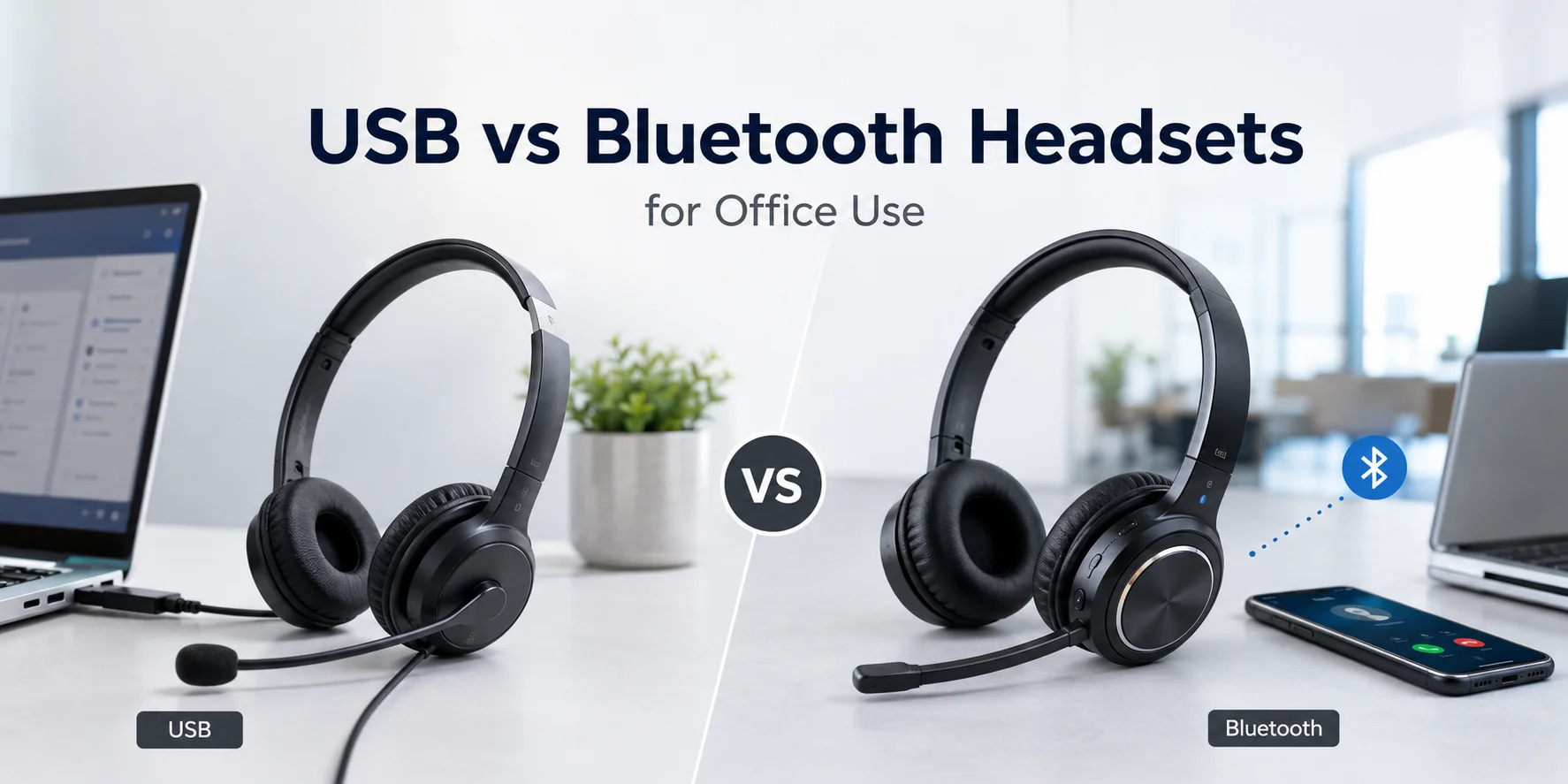
USB headsets connect to a computer through a USB cable, while wireless headsets communicate through technologies such as Bluetooth, USB wireless receivers or DECT. The difference affects mobility, setup, battery management, device compatibility and IT support. Neither connection type is automatically better; the employee’s workflow should determine the choice.
A USB headset is essentially a direct connection between the employee and the computer. Plug it in, select the device and start the call.
Wireless headsets remove that physical connection. Depending on the model, they may use Bluetooth, a dedicated USB receiver or DECT technology.
Modern business headsets can also blur the traditional distinction. Some wireless models include USB connectivity, while some wireless headsets use a USB dongle to provide a more controlled connection to a computer.
Microsoft, for example, supports both USB and wireless certified devices for Teams, while Zoom maintains separate certification categories for USB wired, USB wireless, native Bluetooth and contact-centre headsets.
USB Headsets: When Do They Make More Sense?
USB headsets are particularly effective when employees spend most of their working day at one computer. Their biggest advantage is simplicity: there is no headset battery to charge and no wireless pairing process to troubleshoot. For large teams, that simplicity can make deployment and ongoing support easier.
Why businesses choose USB headsets
A typical business USB headset can provide:
- Direct USB-A or USB-C connectivity
- Integrated microphone
- Physical mute and volume controls
- Noise-cancelling microphone options
- Plug-and-play setup
- No headset battery to charge
- Consistent connection to the workstation
Microsoft’s Modern USB Headset, for example, connects directly to a Windows PC and provides physical controls for calls, volume and mute in supported Teams environments.
For a contact centre, this can be particularly useful.
Imagine 100 agents arriving for the morning shift. If every agent uses a wired USB headset, there is no requirement for a charging station or a check that each headset has enough battery for the shift.
Instead, the basic workflow is simple:
- Connect the headset.
- Select it in the calling application.
- Confirm the microphone.
- Start working.
Pros of USB headsets
- Simple deployment
- No battery management
- Direct connection
- Easy to standardise
- Often more economical for large deployments
- Suitable for long calling sessions
- Fewer wireless pairing issues
- Excellent for fixed workstations
Cons of USB headsets
- Cable restricts movement
- Cable can become damaged
- Less convenient for mobile employees
- Switching between devices may require reconnecting
- Desk cable management becomes important
The biggest weakness is also obvious: you are physically connected to the computer.
For someone sitting at the same desk all day, that may not matter at all.
For someone walking between meetings, it matters a lot.
Wireless Headsets: When Are They Better?
Wireless headsets become more valuable when mobility is part of the employee’s job. They allow users to move away from the workstation, switch between devices on compatible models and work without a cable crossing the desk. That makes them particularly useful for hybrid employees, managers and mobile professionals.
A wireless headset may connect using:
- Bluetooth
- A dedicated USB wireless receiver
- DECT
- Dual connectivity
- Multipoint connections
The exact technology matters.
Bluetooth is convenient for phones, laptops and general office use. A dedicated USB receiver can simplify computer connectivity. DECT, meanwhile, is commonly used in professional wireless communication systems where range and managed business calling are important.
Microsoft’s Modern Wireless Headset, for example, can connect through its USB Link or Bluetooth and supports simultaneous connections to two devices.
Pros of wireless headsets
- Excellent freedom of movement
- Useful for hybrid workers
- Convenient for multi-device users
- Fewer cables on the desk
- Better suited to mobile employees
- Useful for managers and supervisors
Cons of wireless headsets
- Requires charging
- Battery health matters over time
- Pairing can occasionally require troubleshooting
- Wireless receivers can be misplaced
- Professional models can cost more
- Compatibility needs to be checked carefully
So, while wireless removes the cable, it introduces another responsibility: battery and connection management.
USB vs Wireless Headsets: Side-by-Side Comparison
For procurement teams, the differences become clearer when the two options are compared against everyday business requirements.
Factor | USB Headset | Wireless Headset |
Connection | USB cable | Bluetooth, USB receiver or DECT |
Mobility | Limited | Excellent |
Battery | Not required | Required |
Setup | Usually simple | Pairing/receiver may be required |
Fixed desk | Excellent | Good |
Hybrid work | Good | Excellent |
Multi-device use | Less convenient | Often better |
IT management | Simpler | More variables |
Cable management | Required | Minimal |
Large call centre | Excellent | Good |
Mobile employees | Limited | Excellent |
Long shifts | No charging concern | Battery must cover shift |
Upfront cost | Often lower | Often higher |
Best overall use | Fixed workstations | Mobile/hybrid workflows |
The important point is that wireless does not automatically mean better.
A technology is valuable when it solves a problem.
If an agent never leaves a desk, wireless mobility may solve a problem that does not exist.
What Is the Best Headset for a Call Centre?
For a traditional fixed-desk call centre, a USB headset with a good noise-cancelling microphone is often the most practical starting point. It provides a stable connection, avoids battery management and is straightforward to deploy across large teams. Wireless becomes more attractive when agents need mobility or when the operation supports flexible working.
Large BPOs
Consider a BPO with 200 customer service agents.
Each employee spends most of the shift at a dedicated workstation. Calls are handled through a softphone, and the primary requirement is clear customer communication.
In that situation, USB headsets are often the logical choice.
The organisation can standardise one or two models, create a consistent setup and reduce the number of charging-related support issues.
Supervisors and team leaders
The calculation changes for a supervisor.
A team leader may move between desks, attend meetings and answer calls while walking around the office.
Here, wireless becomes considerably more useful.
The extra mobility is no longer a luxury. It supports the employee’s actual workflow.
Hybrid employees
Hybrid workers often use more than one device.
One moment they may be on a Teams meeting using a laptop. The next, they might answer a mobile call or move to another workspace.
A wireless headset with suitable multi-device connectivity can make this workflow considerably easier.
Noise Cancellation Matters More Than the Connection Type
Noise cancellation is important for offices and call centres, but buyers should be careful with terminology. Active noise cancellation and microphone noise cancellation solve different problems. ANC primarily helps reduce external sound that the wearer hears, while microphone noise cancellation or ENC is intended to reduce unwanted background sound captured during calls.
That distinction is critical.
Suppose a call-centre agent is sitting beside five other agents.
The agent may be able to hear the customer perfectly because their headset has good ANC. However, if the microphone captures surrounding conversations, the customer may still hear the noisy office.
For that employee, microphone performance matters enormously.
ANC vs microphone noise cancellation
ANC:
Reduces environmental sound reaching the headset wearer.
Microphone noise cancellation/ENC:
Helps reduce unwanted environmental sounds picked up by the microphone.
A professional call-centre headset may use microphone noise cancellation to help the employee’s voice remain intelligible in a busy workspace.
Promallshop’s current range includes options such as the VT 6300 with dual noise-cancelling microphones, while the Logitech H390 provides a USB connection and noise-cancelling microphone.
That means businesses should not ask only:
“Does this headset have noise cancellation?”
Instead, ask:
“Where is the noise cancellation happening, and what problem is it solving?”
USB, Bluetooth or DECT: Which Wireless Technology Should You Choose?
Not every wireless headset works in exactly the same way. Bluetooth is convenient and widely supported, USB wireless receivers can simplify computer connectivity, while DECT is designed for professional wireless communication environments. The best option depends on the required range, devices, calling platform and workplace.
Bluetooth
Bluetooth is particularly useful for:
- Laptops
- Smartphones
- Hybrid workers
- Multi-device users
- General office communication
Bluetooth has also continued to evolve. The Bluetooth SIG’s LE Audio specification introduces a newer architecture intended to improve Bluetooth audio performance and enable capabilities such as Auracast broadcast audio.
USB wireless receivers
A wireless USB receiver can be useful when the employee primarily works from a computer.
Instead of pairing directly through the computer’s Bluetooth system, the headset communicates with its dedicated receiver.
That can simplify the user experience and, depending on the product, provide access to business-specific call controls.
DECT
DECT is particularly relevant when businesses need professional wireless communication rather than casual Bluetooth connectivity.
Professional contact-centre ecosystems include DECT wireless options from manufacturers such as Jabra and Yealink, alongside USB and Bluetooth devices. Zoom’s certified contact-centre hardware list demonstrates that wired and wireless technologies can coexist within professional deployments.
What Should Procurement Managers Look For?
Procurement teams should evaluate headsets as workplace infrastructure rather than ordinary computer accessories. The best purchase balances employee requirements, reliability, compatibility, durability, support requirements and total cost of ownership. A low purchase price can become less attractive if the equipment creates frequent replacements, charging issues or compatibility problems.
1. Define the workflow
Start with the employee.
Ask:
- Does the employee stay at a desk?
- Do they move around?
- Do they use one device or several?
- How many hours per day are they on calls?
- Is the environment noisy?
- Is the employee working remotely?
2. Check compatibility
Do not assume every USB or Bluetooth headset works equally well with every communication platform.
Check compatibility with:
- Microsoft Teams
- Zoom
- Softphone software
- Windows
- macOS
- Mobile devices
- Existing USB ports
Microsoft recommends Teams-certified devices for the best supported experience, and its current certified-device listings include models from manufacturers such as Logitech, Dell, Jabra, Yealink and others.
Zoom also maintains dedicated certified categories for workplace and contact-centre headsets.
3. Evaluate the microphone
For call centres, the microphone deserves as much attention as the speakers.
Look for:
- Noise-cancelling microphone
- Multiple microphones where appropriate
- Boom microphone
- Clear voice pickup
- Convenient mute control
- Busy-light or mute indicator where useful
4. Consider comfort
A headset can have excellent specifications and still be a poor business purchase if employees dislike wearing it.
Check:
- Ear cushion design
- Headband pressure
- Weight
- Adjustability
- Mono vs stereo design
- Heat buildup
- Long-shift comfort
5. Calculate total cost of ownership
The purchase price is only one part of the calculation.
Consider:
Total cost = purchase price + replacements + accessories + support + charging infrastructure + downtime
For a large BPO, even a small difference per employee can become significant across hundreds of users.
6. Standardise intelligently
Standardisation can make IT support easier.
However, avoid buying exactly the same headset for every employee simply because it is easier to order.
A better approach may be to standardise two or three headset profiles:
- Fixed-desk USB
- Wireless hybrid
- Professional wireless/contact-centre
This gives procurement control without forcing every employee into the same workflow.
VT, Logitech and Dell: Which Should Businesses Consider?
VT, Logitech and Dell all have business-oriented headset options, but the model’s features matter more than the logo on the box. Procurement teams should compare microphone technology, connection type, comfort, platform compatibility, durability, support and price before choosing a standard.
VT headsets
VT is particularly relevant when businesses want professional communication features at a competitive price point.
Current Promallshop listings include the VT 6300 USB headset with dual noise-cancelling microphones, as well as wireless VT options.
Logitech headsets
Logitech offers both wired and wireless business headsets.
The current Promallshop catalogue includes the Logitech H390 USB headset, Logitech H570e and wireless options such as the Zone Wireless range.
Dell headsets
Dell is another option for organisations that already standardise their computing environment around Dell hardware.
Promallshop currently lists Dell wireless headset options, including the WL5022.
The key lesson is simple: compare the model, not just the brand.
Common Mistakes Businesses Make When Buying Headsets
The biggest headset purchasing mistakes usually happen before the headset is even ordered. Businesses often focus on price, brand or wireless convenience without considering the employee’s workflow. A successful procurement process starts with the job requirements and works backward toward the technology.
1. Buying the cheapest headset
A low upfront cost is attractive.
However, poor microphone quality, uncomfortable ear cushions or fragile cables can create replacement and productivity costs later.
2. Confusing ANC with microphone noise cancellation
A headset that reduces noise for the wearer does not necessarily prevent the customer from hearing the office.
For call centres, test microphone performance separately.
3. Buying wireless for everyone
Wireless is convenient.
Still, an employee who sits at one desk for eight hours may not need that convenience.
4. Buying USB for everyone
The opposite mistake is just as common.
A mobile manager or hybrid worker may find a cable frustrating.
5. Ignoring platform certification
Compatibility should be verified before a large purchase.
A headset may physically connect to a computer while still lacking expected call-control features or platform-specific integration.
6. Forgetting battery management
Wireless headsets need an operational charging plan.
For a large deployment, determine:
- Where headsets are charged
- Who charges them
- How charging is monitored
- What happens when a battery runs low
- Whether spare headsets are available
How to Choose the Right Headset: A Simple Process
Choosing between USB and wireless becomes much easier when the decision is turned into a short procurement process.
1. Map the employee’s day
Identify whether the person works from a fixed desk, hybrid workspace or multiple locations.
2. Identify the calling platform
Confirm Teams, Zoom, softphone or another communication system.
3. Measure the noise environment
A quiet private office has different requirements from a 100-seat contact centre.
4. Prioritise microphone quality
For customer-facing roles, voice transmission should be a major selection criterion.
5. Choose the connection
Select USB, Bluetooth, USB wireless or DECT based on the workflow.
6. Test before bulk purchasing
If possible, give representative employees sample models.
Ask them about:
- Comfort
- Microphone quality
- Connection reliability
- Controls
- Ease of use
7. Calculate total cost
Compare the purchase price with expected lifespan, replacements and support.
8. Standardise
Once the preferred models have been tested, create a small approved-device list.
USB vs Wireless Headsets: What Should Your Business Buy?
For most fixed-desk BPO and call-centre environments, USB headsets are the practical default. They are simple, require no battery charging and are easy to standardise. Wireless headsets are the better option when employee mobility, hybrid work or multi-device connectivity is genuinely important.
Use this simple rule:
Choose USB if:
- Employees stay at fixed desks.
- Calls are continuous or high volume.
- You want simple deployment.
- Battery management is undesirable.
- You are equipping a large number of agents.
Choose wireless if:
- Employees move during calls.
- Staff regularly use laptops and phones.
- You operate a hybrid workplace.
- Managers need mobility.
- Reducing desk cables matters.
Consider a mixed deployment if:
- Different departments have different workflows.
- Agents are fixed-desk but managers are mobile.
- Some employees work remotely.
- Your BPO has both contact-centre and administrative teams.
In many businesses, the mixed approach is actually the most sensible.
Future Trends in Business Headsets
Business headsets are becoming increasingly software-driven. Newer devices combine multiple microphones, noise reduction, Bluetooth improvements, USB connectivity, platform certification and device-management features. The direction of the market suggests that businesses will increasingly select headsets as part of their wider unified-communications environment rather than as standalone accessories.
Bluetooth LE Audio is one example of the broader evolution of wireless audio technology.
At the same time, platform certification is becoming increasingly important.
Microsoft’s current Teams ecosystem continues to list newly certified wired and wireless devices, while Zoom maintains dedicated certification categories for different workplace and contact-centre requirements.
That means the future business headset decision is unlikely to be simply:
“USB or wireless?”
Instead, businesses will increasingly ask:
“Which headset integrates most effectively with our people, devices and communication platform?”
Conclusion
USB and wireless headsets both have a place in the modern workplace. USB models are generally the better fit for fixed workstations, high-volume calling and large BPO deployments because they offer simple connectivity and no battery management. Wireless models are more compelling for hybrid workers, managers and employees who need freedom of movement.
The most important factor is therefore not the connection itself.
It is the workflow behind the connection.
If your employees spend most of the day at one workstation, a reliable USB headset with a strong noise-cancelling microphone may deliver everything they need. If they move between meetings, laptops and phones, wireless may provide considerably more value.
For procurement teams, the smartest strategy is to test the headset against the real working environment before standardising it across the business.
FAQs
USB headsets are generally better for fixed office workstations because they provide a direct connection without battery management. Wireless headsets are better for employees who need mobility or frequently switch between devices.
USB is usually the better default for large call-centre teams working at fixed desks. Wireless can be more appropriate for supervisors, hybrid agents and employees who need to move around during calls.
The best call-centre headset should have a clear noise-cancelling microphone, comfortable construction, reliable connectivity and compatibility with the organization's calling platform. There isn't one universally best model for every call centre.
Yes. Professional wireless headsets can provide reliable business communication, particularly when they use suitable Bluetooth, USB receiver or DECT connectivity. Businesses should still consider battery life, range and device compatibility.
ANC reduces background noise that the headset wearer hears. A noise-cancelling microphone is designed to reduce unwanted sounds captured by the microphone. For call centres, microphone noise cancellation is particularly important.