Table of Contents
ToggleIntroduction
A smartphone is more than a communication device for today’s professional. It helps you respond to clients, join meetings, approve requests, manage schedules and stay connected while travelling between appointments. However, the wrong charger, a failing cable or a poor-quality headset can interrupt an otherwise productive day.
For professionals and businesses in Nigeria and Ghana, choosing the right phone accessories is about more than convenience. It is about reliability, communication, device protection and getting good value for money.
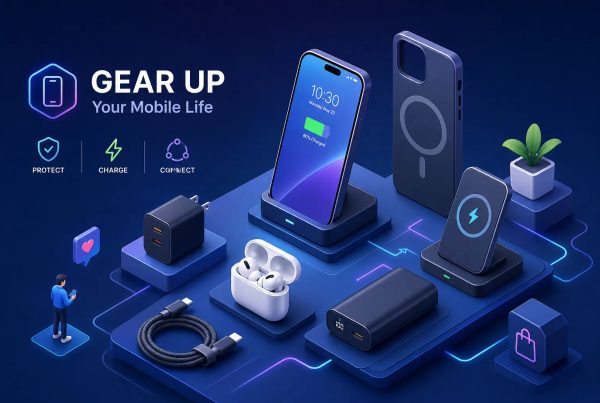
Phone accessories are external products that improve a smartphone’s charging, protection, connectivity, audio or everyday usability. For professional use, the most useful options include reliable charging equipment, power banks, protective accessories, phone stands and headsets designed for clear business communication.
This guide explains what to buy, how to compare your options and what businesses should consider before purchasing accessories for their teams.
Table of Contents
- Introduction
- Why Phone Accessories Matter for Professionals
- Essential Phone Accessories for Work
- Choosing the Right Business Headset
- Wired vs Wireless Phone Accessories
- How to Choose Accessories for Your Device
- Buying Phone Accessories in Nigeria and Ghana
- A Practical Corporate Procurement Checklist
- Common Mistakes to Avoid
- Future Trends in Professional Phone Accessories
- Conclusion
- FAQs
Why Phone Accessories Matter for Professionals
The right phone accessories help professionals maintain communication, protect their devices and work more efficiently. For businesses, standardising essential accessories can also simplify purchasing, support and replacement. Rather than buying products at random, organisations should choose accessories according to how employees use their phones throughout the working day.
Consider a customer service manager who spends hours coordinating calls, or a sales representative who relies on navigation and messaging while visiting clients. Both need accessories that support their daily responsibilities.
For example, a reliable power bank can keep a field worker connected during a long day away from the office. Meanwhile, a comfortable headset can help a call centre agent communicate more clearly without holding a phone throughout every conversation.
Benefits of quality phone accessories
- Improved productivity: Spend less time looking for chargers or dealing with low batteries.
- Better communication: Use appropriate headsets for calls and online meetings.
- Device protection: Reduce the risk of scratches and certain types of impact damage.
- Greater convenience: Keep phones accessible during meetings, travel and desk work.
- More predictable spending: Choose durable products with clear warranty terms instead of repeatedly replacing unsuitable accessories.
Nevertheless, an expensive accessory is not automatically the best option. Compatibility, reliability and suitability for the job matter more than price alone.
Essential Phone Accessories for Work
The best accessories depend on your role, device and work environment. Most professionals should begin with dependable charging equipment, a power bank, basic device protection and a suitable audio solution. Additional items, such as a phone stand or car mount, are useful when they address a specific daily need.
Fast chargers and charging cables
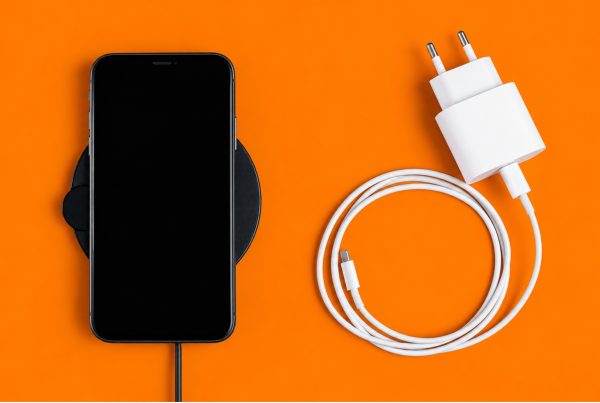
A compatible fast charger helps reduce the time spent waiting for a phone to recharge. USB-C chargers are useful for many modern Android phones and newer iPhones, although connector type alone does not guarantee fast charging.
Before purchasing, check the phone’s supported charging standard, required wattage and cable compatibility. USB Power Delivery is one example of a charging standard used by compatible devices.
The USB Implementers Forum explains that USB cables have different capabilities, so buyers should choose cables suited to their devices and intended use.
For offices with multiple phone models, consider maintaining a small, organised supply of compatible charging cables rather than assuming every employee can use the same one.
Power banks
A power bank provides backup power when a wall socket is unavailable. It is particularly useful for sales teams, field technicians, executives who travel frequently and employees who spend long periods away from their desks.
When comparing power banks, look at:
- Capacity: A higher mAh rating generally means more stored energy, although actual charging performance varies.
- Output: Check whether the power bank supports the charging speed your phone can use.
- Ports: USB-C and USB-A combinations may be useful for teams using different devices.
- Size and weight: A larger battery can be useful, but it may be less convenient to carry.
- Protection features: Buy products from reputable suppliers and follow the manufacturer’s charging instructions.
For example, a professional who spends most of the day visiting clients may prefer a portable power bank, while an office administrator who rarely leaves the desk may need only a reliable charger.
Protective cases and screen protectors
A case can help protect a phone from everyday scratches and some impacts, while a screen protector adds a layer over the display. Neither guarantees that a device will survive every drop.
Choose cases designed for the exact phone model. Also, check that the case does not obstruct buttons, cameras, charging ports or wireless charging where applicable.
For company-owned devices, standardising a few approved case types can make replacements easier and help maintain a consistent appearance.
Wireless chargers and charging stations
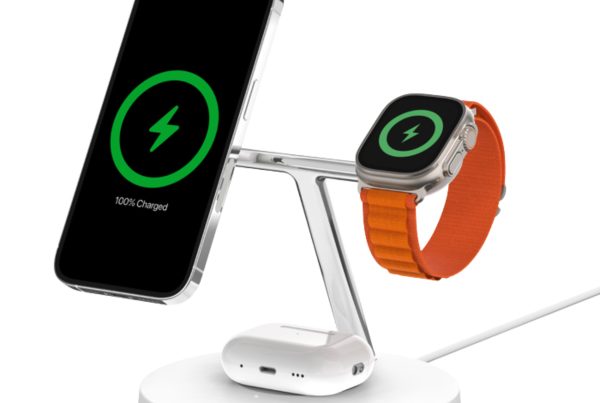
Wireless chargers can reduce cable clutter at desks and shared workspaces. Multi-device charging stations may also help professionals who use several compatible devices.
However, wireless charging requires compatible hardware and correct positioning. It may also be less convenient than a cable when someone needs to use a phone continuously while charging.
Choose wireless charging equipment when convenience and desk organisation justify the additional cost.
Phone stands and car mounts
A stable phone stand keeps a device visible during video calls, while a car mount can make navigation easier when used safely.
For office use, look for adjustable viewing angles and a stable base. For vehicles, choose a mount that fits the dashboard or windscreen arrangement without obstructing the driver’s view.
Never handle a phone while driving. Set up navigation before starting the journey and follow local road safety rules.
Choosing the Right Business Headset
A business headset is one of the most useful accessories for employees who make frequent calls. The best option combines a clear microphone, comfortable fit, suitable connectivity and compatibility with the devices or communication platforms used by the team.
For call centres, customer support departments and remote teams, headset selection can affect both employee comfort and the quality of customer conversations.
What is a noise-cancelling headset?
A noise-cancelling headset reduces unwanted sound, but the term can refer to two different functions.
Active noise cancellation (ANC) reduces the background noise the wearer hears. A noise-cancelling microphone is designed to reduce surrounding noise picked up during calls, helping the other person hear the speaker more clearly.
These features are related, but they are not interchangeable. A headset that makes an office sound quieter to its wearer does not necessarily provide the best microphone performance.
What should call centre managers look for?
When evaluating call centre headsets, consider:
- Microphone noise reduction for clearer conversations.
- Comfortable ear cushions and an adjustable headband.
- Wired USB or wireless connectivity suited to the workstation.
- Battery life and charging arrangements for wireless models.
- Mute controls and accessible volume adjustments.
- Compatibility with the team’s computers, phones and calling software.
- Warranty coverage and the availability of replacement parts.
A headset should also be tested in the environment where employees will use it. Background noise, microphone positioning and software settings can affect call quality.
Wired or wireless headsets?
Wired headsets are useful for fixed workstations because they do not require battery charging. Wireless headsets provide more freedom of movement, but teams must manage charging, pairing and battery replacement over time.
For call centres with fixed desks, a wired USB headset may be a practical choice. For supervisors, hybrid workers and professionals who move between rooms, wireless connectivity may be more convenient.
For additional guidance, read Promallshop’s article on how noise cancellation works and how the VT Flow supports focused listening.
Wired vs Wireless Phone Accessories
Wired accessories are often straightforward to manage, while wireless options offer greater flexibility. Neither is universally better. The right choice depends on the work environment, compatibility requirements, charging arrangements and the cost of maintaining accessories across a team.
Factor | Wired accessories | Wireless accessories |
Power | Some draw power from the connected device | Often require charging or batteries |
Mobility | Limited by cable length | Greater freedom of movement |
Setup | Often simple plug-and-play | May require pairing or a receiver |
Maintenance | Inspect cables and connectors | Manage batteries, pairing and charging |
Best use | Fixed desks and predictable setups | Mobile work and flexible workspaces |
Bluetooth is widely used for wireless audio devices, including headsets and hands-free car kits. However, actual performance depends on the devices, environment and implementation.
For corporate teams, the decision should also account for support requirements. Ten wireless headsets may be convenient, but the organisation must have a plan for charging, storing and replacing them.
How to Choose Accessories for Your Device
Choosing suitable phone accessories begins with identifying what the phone supports and what the user needs to accomplish. This simple process reduces compatibility problems, unnecessary spending and avoidable returns.
Identify the phone model
Record the exact manufacturer and model. Two phones from the same brand may support different charging speeds, connectors or wireless charging features.
Check compatibility
Confirm the connector type, charging protocol, power requirements and any relevant device limitations. For headsets, check whether the phone or computer supports Bluetooth, USB audio or a compatible audio jack.
Define the work requirement
A field employee may need portable charging and a protective case. A customer service agent may need a dedicated headset. An executive who attends frequent video calls may benefit from a stand and a reliable wireless audio solution.
Compare quality and support
Look beyond the advertised features. Check the manufacturer’s documentation, supplier credibility, warranty conditions and availability of replacements.
Test before deploying
For large purchases, test a sample unit with the actual phones, computers and applications employees use. Confirm charging, audio quality, fit and any necessary configuration before approving the full order.
This final step is especially valuable for organisations purchasing accessories for several departments.
Buying Phone Accessories in Nigeria and Ghana
Professionals buying phone accessories in Nigeria and Ghana should compare product suitability, availability, warranty support and total cost rather than focusing on the lowest advertised price. For businesses, a supplier that can manage consistent products and provide clear documentation may simplify procurement.
In Nigeria, buyers may compare online technology retailers with established physical electronics markets. In Ghana, the same basic checks apply: verify the seller, inspect the product information and understand the return and warranty terms.
How much should you budget?
There is no single price for phone accessories. Costs vary by brand, model, capacity, connectivity and product quality. Prices can also change with exchange rates, import costs, promotions and stock availability.
Instead of relying on an outdated general price list, check the current price of the exact product you need.
For corporate purchasing, request a quotation that separates product costs, delivery charges, applicable taxes and any additional service costs. If you are buying for teams in more than one country, confirm the currency, delivery arrangements and warranty process for each destination.
Where can businesses shop?
Promallshop offers a range of mobile accessories, including charging products and other accessories listed in its catalogue. You can review the available options through the Promallshop phone accessories collection.
Before placing an order, confirm current availability, specifications, delivery coverage and warranty terms with the supplier.
A Practical Corporate Procurement Checklist
Corporate buyers should select phone accessories according to operational requirements rather than individual preference alone. A short, documented procurement process helps IT and administrative teams compare options consistently, manage replacements and avoid ordering products that employees cannot use.
Use this checklist before approving a purchase:
- List the phone models and connection types used by employees.
- Identify which roles require power banks, headsets, stands or other accessories.
- Set a budget for each category.
- Compare product specifications and warranty terms.
- Verify the supplier and request a formal quotation.
- Test representative products before ordering in bulk.
- Record model numbers, quantities, purchase dates and warranty details.
- Establish a process for reporting faults and requesting replacements.
Example: Equipping a customer service team
Suppose a business is equipping 20 customer service agents. The procurement team could first standardise compatible headsets, then purchase suitable charging cables and backup power banks for employees who use mobile phones during shifts.
Rather than choosing products based only on their unit prices, the team should evaluate microphone clarity, comfort, device compatibility, expected usage and support arrangements.
The organisation can then compare the full cost of each option and test sample units before placing the order. This is a practical purchasing example, not a claim that a particular accessory will produce a specific productivity increase.
Common Mistakes to Avoid
Many accessory problems begin with assumptions about compatibility, quality or convenience. Businesses can reduce these risks by verifying specifications and testing products before purchase.
Buying chargers based only on wattage
A high-wattage charger does not guarantee that every phone will charge at its maximum supported speed. The phone, charger and cable must support a compatible charging arrangement.
Choosing a headset based only on ANC
ANC primarily concerns the sound heard by the wearer. For business calls, microphone noise reduction is also important.
Ignoring warranty terms
A low purchase price may become less attractive if a product fails and replacement support is unavailable. Always confirm the applicable warranty and retain proof of purchase.
Ordering in bulk without testing
A product may appear suitable online but prove uncomfortable or incompatible during actual use. Testing a sample can reveal issues before they affect an entire team.
Treating all wireless accessories as identical
Bluetooth range, battery life, charging methods and device support vary by model. Review the specifications rather than assuming every wireless product will work the same way.
Future Trends in Professional Phone Accessories
Phone accessories are evolving towards more convenient charging, flexible connectivity and better communication tools. For professionals, the most useful developments are those that solve a real workplace problem, rather than simply introducing another feature to manage.
USB-C continues to serve a broad range of charging and connectivity needs, while wireless charging can reduce desk clutter on compatible devices. Business headsets are also developing features intended to improve call clarity and manage background noise.
For procurement teams, these changes make compatibility and lifecycle planning increasingly important. An accessory should fit the organisation’s current devices while offering reasonable value over its expected service life.
Before investing in newer technology, consider whether employees can use the feature, whether it works with existing equipment and whether the benefits justify the additional cost.
Conclusion
The best phone accessories for professionals in Nigeria and Ghana are the ones that make everyday work more reliable. Fast chargers, suitable cables, power banks, protective cases, screen protectors, phone stands and business headsets each serve a practical purpose.
For individual professionals, start with the accessories that solve your most frequent problems. For businesses, prioritise compatibility, quality, warranty support and a consistent purchasing process.
By evaluating accessories against actual work requirements, organisations can make better-informed purchasing decisions and avoid unnecessary replacements. The goal is not to buy every available accessory. It is to choose the right tools for the people who depend on their phones every day.
FAQs
The most useful options are a compatible fast charger, reliable charging cable, power bank, protective case, screen protector and suitable headset. Phone stands and car mounts can also help, depending on the job.
Most office workers benefit from a charger, cable, protective case and screen protector. Employees who attend frequent calls may also need a dedicated headset, while those who travel may benefit from a power bank.
ANC reduces background noise heard by the headset wearer. A noise-cancelling microphone aims to reduce unwanted sounds picked up during calls. For customer service work, evaluate both features separately.
Wired headsets can be practical for fixed workstations because they do not need battery charging. Wireless headsets offer mobility. The better choice depends on desk setup, staff movement, compatibility and maintenance requirements.
Businesses can compare Logitech, VT and Dell models, among other suitable options. Evaluate each model's microphone quality, comfort, connection type, compatibility and warranty instead of choosing on brand name alone.