Table of Contents
ToggleIntroduction
Choosing a display for a modern conference room involves more than finding a screen large enough for everyone to see. Businesses also need clear visuals, reliable connectivity, practical installation options and features that make meetings more productive. For organisations upgrading their boardrooms or presentation spaces, the Unilumin UTV SC 108 Touch LED Display is worth considering.
This 108-inch all-in-one LED display combines a large viewing area with fine-pitch LED technology and touch-enabled collaboration. Consequently, it can support presentations, group discussions, training sessions and other professional activities in which visual clarity and audience engagement matter.
What is the Unilumin UTV SC 108 Touch LED Display? It is a professional 108-inch COB LED display with Full HD resolution, a 16:9 aspect ratio and a 1.25 mm pixel pitch. The touch-enabled configuration adds interactive functionality, while its all-in-one design helps businesses create a more integrated presentation environment.
For businesses in Nigeria, the main considerations are its technical capabilities, suitability for the intended room, installation requirements and total acquisition cost.
Table of Contents
- Introduction
- What Is the Unilumin UTV SC 108 Touch LED Display?
- Unilumin UTV SC 108 Specifications
- Key Features and Their Business Benefits
- Best Uses for the Unilumin UTV SC 108
- How Much Does the Unilumin UTV SC 108 Cost in Nigeria?
- Unilumin UTV SC 108 vs Other Display Solutions
- Pros and Cons
- How to Choose and Install the Display
- Common Buying Mistakes and Best Practices
- Conclusion
- FAQs
What Is the Unilumin UTV SC 108 Touch LED Display?
The Unilumin UTV SC 108 is a large-format, all-in-one LED display designed for professional environments. It combines an LED screen with smart functionality and, in the touch-enabled configuration, interactive capabilities that help teams present information and work together on a shared display.
Unlike a conventional television, which is primarily designed for entertainment and general viewing, this type of commercial display is intended for organised presentation and collaboration environments.
What does all-in-one mean?
An all-in-one display brings key display and control functions into an integrated unit. Depending on the supplied configuration, it may include an embedded operating system, connectivity interfaces and wireless presentation capabilities.
As a result, businesses can potentially reduce the number of separate components needed to present content. However, a complete video conferencing setup may still require a compatible camera, microphone, conferencing software and other peripherals.
What makes the touch version different?
The touch-enabled UTV SC 108 supports interactive use, allowing presenters and participants to engage with compatible on-screen content. For example, a team can annotate a presentation, discuss a diagram or work through visual material together.
Touch functionality should not be confused with the display’s LED technology. COB describes how the LEDs are packaged on the display surface, whereas touch describes how users interact with the content.
Unilumin UTV SC 108 Specifications
The Unilumin UTV SC 108 combines a 108-inch screen with Full HD resolution, fine pixel spacing and a slim physical profile. These specifications help buyers assess its image quality, room suitability and installation requirements before purchasing.
The following figures are based on the published product listing and manufacturer documentation. Confirm the exact configuration with the supplier because product revisions and optional features may differ.
Quick facts
Specification | Published details |
Brand | Unilumin |
Model | UTV SC 108 |
Screen size | 108 inches |
Display technology | COB LED |
Resolution | 1920 × 1080 pixels |
Aspect ratio | 16:9 |
Pixel pitch | 1.25 mm |
Brightness | Up to 600 cd/m², adjustable |
Contrast ratio | 10,000:1 |
Refresh rate | 3,840 Hz |
Viewing angle | Up to 170° horizontal / 160° vertical |
Processing depth | 13-bit |
LED lifespan | Rated at 100,000 hours or more |
Dimensions | Approximately 2,411 × 1,476 × 30.4 mm |
Weight | Approximately 80 kg |
Installation | Wall-mounted or mobile stand, subject to configuration |
Warranty | 24 months, as stated on the current product listing |
Listed price | ₦28,000,000, subject to confirmation |
You can buy it on Promallshop.
What do these specifications mean?
108-inch screen: A large display makes presentations easier to follow in spacious meeting rooms. However, the right screen size also depends on seating distance, room layout and the type of content displayed.
Full HD resolution: The 1920 × 1080 resolution provides 2.07 million pixels. It is suitable for many presentations, video content and dashboards, although users working with detailed technical drawings or dense spreadsheets should assess whether a higher-resolution model would better meet their needs.
1.25 mm pixel pitch: Pixel pitch measures the distance between neighbouring pixels. A smaller pitch generally supports finer image detail at closer viewing distances. Therefore, the 1.25 mm pitch is an important consideration for a large display used in a conference room.
600 cd/m² brightness: This is the published maximum adjustable brightness. It can help produce visible images in appropriately controlled indoor lighting, although direct sunlight and strong reflections can still affect viewing quality.
3,840 Hz refresh rate: This specification describes how frequently the display refreshes its image. It can help reduce visible flicker and improve the appearance of moving content, particularly in camera recordings. It does not mean the screen displays 3,840 unique video frames every second.
10,000:1 contrast ratio: A higher contrast ratio can help distinguish darker and brighter parts of an image. In practical terms, this supports more defined visuals for presentations, graphics and video content.
Key Features and Their Business Benefits
The UTV SC 108 combines fine-pitch LED technology, a large screen, touch capability and flexible installation options. Together, these features can make meetings more visual and collaborative, provided the display is configured appropriately for the organisation’s needs.
COB LED technology
COB stands for Chip-on-Board. In this approach, LED chips are mounted closely together on a substrate, creating a fine-pitch display surface.
For business users, the main benefit is the ability to produce a large image with closely spaced pixels. The technology is particularly relevant when participants need to read presentation text, inspect diagrams or view detailed visual content.
Interactive touch capability
The touch-enabled version allows participants to engage directly with compatible content rather than relying entirely on a mouse or remote control.
For example, a project manager can annotate a site plan during a review, while a trainer can highlight important information as a lesson progresses. Nevertheless, buyers should verify supported touch points, operating system compatibility and the applications required for their workflow.
Built-in smart functionality
The product listing specifies an embedded Android system, memory and wireless connectivity. These functions can support compatible presentation and content-sharing workflows without requiring a separate computer for every task.
However, operating system versions can vary across revisions. Confirm the supplied software version and supported applications before making a procurement decision.
Flexible mounting options
The screen supports wall mounting or a mobile stand, depending on the selected configuration. A fixed installation can suit a permanent boardroom, while a mobile arrangement may be useful for organisations that move the display between suitable spaces.
Because the display weighs approximately 80 kg, the installation team must also consider structural support, stand capacity, stability and safe movement.
Front-access maintenance
Front-access maintenance can make servicing easier where access to the back of the screen is restricted. This is especially useful when the display sits close to a wall or forms part of a carefully planned meeting-room installation.
Best Uses for the Unilumin UTV SC 108
The Unilumin UTV SC 108 is best suited to professional environments that need a large shared display for presentations, visual communication and collaboration. Its value is greatest when the screen size and interactive functions support a clear, defined business purpose.
Corporate boardrooms and conference rooms
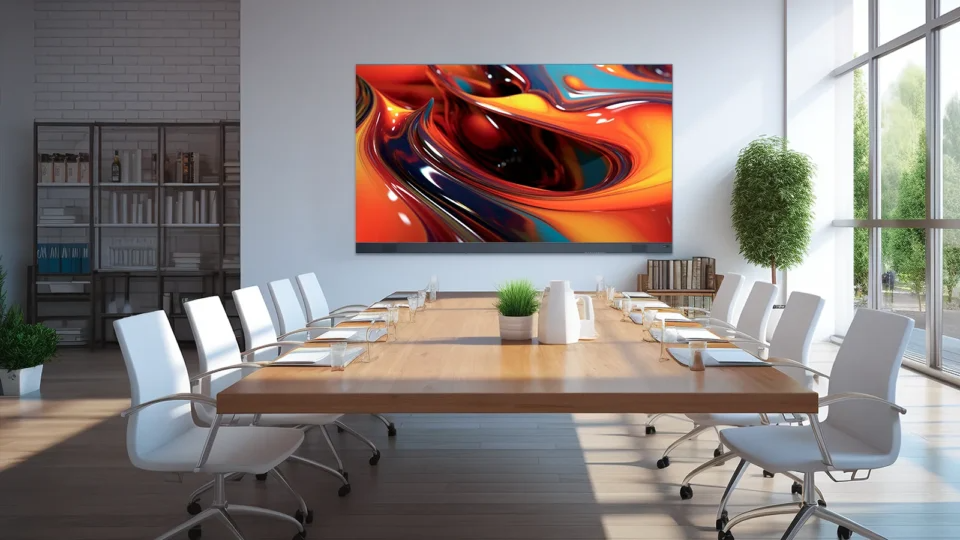
In a boardroom, the screen can display financial reports, business plans, presentations and performance dashboards. Consequently, participants can follow the same information without crowding around a smaller monitor.
For hybrid meetings, the display can also show shared content from a conferencing computer. A compatible camera, microphone and speaker arrangement may still be needed for complete video conferencing.
Executive presentations
Businesses can use the display for strategy reviews, stakeholder presentations and sales proposals. The large image gives charts, product demonstrations and visual material more space.
However, a large screen cannot compensate for poorly prepared slides. Use readable fonts, clear layouts and appropriately sized visuals to make the most of the display.
Training and workshops
Training departments can use the touch-enabled screen to explain processes, annotate diagrams and guide group activities. For example, an IT trainer can walk participants through a network diagram while marking important connections on screen.
Similarly, consultants can use the display to facilitate workshops and collaborative planning sessions.
Control rooms and operational centres
A large-format display can present dashboards, monitoring interfaces and other operational information. Nevertheless, businesses should assess the resolution, software compatibility and number of simultaneous information sources needed for their specific control-room application.
Education and institutional meeting spaces
Universities, training centres and other institutions can use the display for lectures, collaborative exercises and presentations. In these settings, the combination of a large viewing area and interactive functions can support group learning.
How Much Does the Unilumin UTV SC 108 Cost in Nigeria?
The Unilumin UTV SC 108 Touch LED Display is listed on Promallshop at ₦28,000,000, reduced from a displayed previous price of ₦35,000,000. Prices and promotions may change, so buyers should confirm the current quotation, availability and included accessories before making a purchasing decision.
What affects the final cost?
The price of a commercial LED display installation can include more than the screen itself. Depending on the project, businesses may need to budget for:
- The display and touch-enabled configuration.
- A compatible mobile stand or wall-mounting hardware.
- Delivery, handling and installation.
- Electrical work and cable management.
- A compatible computer or conferencing system.
- Wireless presentation or collaboration accessories.
- Staff training, configuration and after-sales support.
Not every project requires every item on this list. Therefore, ask for an itemised quotation so the procurement team can distinguish the display price from any additional project costs.
Where can businesses buy the display?
Businesses can review the Unilumin UTV SC 108 Touch LED Display with Stand on Promallshop and contact the supplier to confirm availability, current pricing, warranty and delivery arrangements.
For organisations in Nigeria, Ghana and Côte d’Ivoire, it is also important to confirm delivery coverage, applicable taxes, installation availability and the process for obtaining technical support in the relevant country.
Unilumin UTV SC 108 vs Other Display Solutions
Choosing between a large LED display, an interactive flat panel and a conventional projector depends on room size, viewing distance, collaboration needs and total cost. Although these technologies can all support presentations, they offer different advantages.
Factor | Unilumin UTV SC 108 | Interactive flat panel | Projector and screen |
Display technology | COB LED | Typically LCD-based | Projected image |
Large-format viewing | Yes, 108 inches | Available in various sizes | Depends on projector and screen |
Touch interaction | Available in the touch configuration | Common on interactive models | Requires a compatible interactive system |
Image quality | Fine-pitch LED, Full HD | Depends on panel resolution | Depends on projector, screen and lighting |
Ambient light | Designed for indoor commercial use | Depends on panel brightness | Image can be affected by room lighting |
Installation | Wall-mounted or stand-based, subject to configuration | Wall-mounted or stand-based | Requires projector placement and a screen |
Best fit | Large collaborative business spaces | Offices and classrooms needing an integrated touch panel | Flexible projection where a suitable room is available |
COB LED vs LCD interactive flat panels
COB LED and LCD panels create images using different technologies. The UTV SC 108’s LED architecture is designed for a large display surface, while an LCD-based interactive flat panel can be a practical alternative for smaller rooms and everyday touchscreen collaboration.
Neither option is automatically better for every business. Buyers should compare screen size, resolution, touch performance, brightness, installation requirements and total ownership cost.
LED display vs projector
A projector can be suitable for presentations when a business needs a large image at a lower initial equipment cost. However, it requires appropriate projection distance and screen placement, and ambient lighting can reduce perceived image contrast.
An all-in-one LED display provides a direct-view screen instead. As a result, it can be a better fit where the business wants a permanent, integrated display and does not want to depend on a separate projection system.
Pros and Cons of the Unilumin UTV SC 108
The UTV SC 108 offers a large professional display surface and touch-enabled collaboration, but it also involves substantial upfront investment and installation planning. Buyers should weigh these benefits against the needs of their room, their budget and their existing AV equipment.
Advantages
- Large 108-inch display: Suitable for spacious boardrooms and conference rooms.
- Fine pixel pitch: The 1.25 mm pitch supports detailed imagery on a large screen.
- High refresh rate: The published 3,840 Hz refresh rate is useful for smooth-looking visuals and camera-recorded content.
- Interactive collaboration: Touch functionality can support annotation and group activities.
- Flexible installation: Wall mounting or a mobile stand may be available, depending on configuration.
- Front-access maintenance: Can simplify servicing in suitable installations.
- Integrated smart features: The listed Android system and connectivity interfaces support selected presentation workflows.
Disadvantages
- High acquisition cost: The listed price of ₦28 million makes budgeting and procurement approval important.
- Significant physical weight: At approximately 80 kg, the display requires safe handling and suitable structural support.
- Installation planning: Wall mounting, power, cabling and room layout need careful attention.
- Full HD resolution: Some specialist applications may benefit from a higher-resolution display.
- Configuration-dependent features: Buyers must verify the precise touch, software, stand and connectivity options included.
- Additional conferencing equipment may be necessary: A complete meeting solution can require separate cameras, microphones and computers.
How to Choose and Install the Display
Before purchasing the UTV SC 108, businesses should assess their room, technical requirements and installation budget. A structured evaluation helps prevent compatibility issues and ensures the display fits the way employees actually work.
Assess the room
Measure the available wall or floor space and consider the distance between the screen and the furthest seat. The display measures approximately 2.4 metres wide, so it needs adequate space and a suitable viewing arrangement.
Also consider lighting, windows, reflections, cable routes and the position of conference-room furniture.
Define the intended use
Decide whether the screen will mainly support presentations, touch-based collaboration, training, dashboards or hybrid meetings. This helps determine which accessories, applications and connectivity options are necessary.
Check compatibility
Confirm that the display works with the organisation’s computers, conferencing software and content-sharing requirements. If employees use multiple operating systems, verify the supported connection and casting methods before ordering.
Plan installation and power
Ask a qualified installer to assess the mounting surface, stand capacity, electrical supply and cable management. The published product information includes average and peak power figures, but actual requirements should be confirmed for the exact model supplied.
Test before handover
After installation, test the display’s image quality, touch interaction, network connection, external inputs and presentation workflow. If the system will support hybrid meetings, test the connected camera, microphone and conferencing application as well.
Common Buying Mistakes and Best Practices
Businesses can get more value from a professional display by evaluating the complete meeting-room solution rather than focusing on screen size alone. The following practices help procurement teams make a more informed decision.
Common mistakes to avoid
Choosing by screen size alone. A 108-inch screen may be excessive for a small meeting room. Match the display to the space and typical viewing distance.
Assuming every feature is included. Touch, stands, operating systems and accessories can vary by configuration. Request written confirmation of the exact package.
Ignoring resolution requirements. Full HD may be suitable for standard presentations, but specialised workflows can demand greater detail.
Forgetting installation costs. Delivery, mounting, electrical work and accessories can increase the total project cost.
Overlooking after-sales support. Confirm the warranty terms, technical support arrangements and availability of replacement components before committing.
Expert buying tips
- Request a demonstration using the type of content your team normally presents.
- Check small text, charts and diagrams from the back of the room.
- Test the touch response with the applications your staff will use.
- Obtain an itemised quotation covering equipment and installation.
- Ask for the current technical datasheet and warranty documentation.
- Confirm local delivery, servicing and support arrangements before purchase.
Future trends in corporate displays
Corporate meeting spaces increasingly combine large-format displays with wireless sharing, touch collaboration and video conferencing. As a result, organisations should consider how a display will integrate with their wider meeting-room technology over the next several years.
Resolution, software support, device compatibility and maintainability will remain important purchasing factors. Rather than buying a screen based only on current needs, businesses should consider whether it can support planned changes to meeting formats and collaboration workflows.
Conclusion
The Unilumin UTV SC 108 Touch LED Display is a large-format solution for businesses seeking a professional screen for boardrooms, conference rooms, training facilities and collaborative workspaces. Its 108-inch display, Full HD resolution, 1.25 mm pixel pitch and COB LED technology make it worth evaluating for environments where shared visual communication matters.
However, the right purchasing decision depends on more than technical specifications. Businesses should assess room dimensions, touch requirements, resolution needs, installation costs and compatibility with their existing AV equipment.
With a listed price of ₦28,000,000 on Promallshop, the next step is to confirm current availability, the exact supplied configuration and the full project cost before proceeding with procurement.
FAQs
It is a 108-inch all-in-one COB LED display designed for professional applications such as conference rooms, boardrooms, presentations and collaborative workspaces. Its touch-enabled configuration supports interactive activities.
Promallshop lists the display at ₦28,000,000, with a previous price of ₦35,000,000 shown on the product page. Contact the supplier to confirm the current price, availability and included accessories.
The published specification is 1920 × 1080 pixels, also known as Full HD. This resolution supports presentations, video content and many business applications.
Yes, the touch-enabled version supports interactive use. Buyers should confirm the supported touch points, operating system compatibility and included accessories for the exact configuration being purchased.
COB means Chip-on-Board. It is an LED packaging method that places LED chips closely together on a substrate, supporting fine-pitch displays with detailed images.